Zoho Books and Fiscal Harmony Integration Guide
Overview
Steps
Step 1. Access and Set Up API Keys in Fiscal Harmony
- Log in to the client’s Fiscal Harmony account on https://app.fiscalharmony.co.zw/.
- Once logged in, navigate to Settings > API Keys to obtain your API Key and API Secret Key.
- Note that if you do not have an API Key, you should create one.
- Also note that if you already had one and lost access to the API Secret, you would need to click Refresh Secret to create a new one.
- Open a new tab and go to https://plugins.fiscalharmony.com and log in using your credentials.
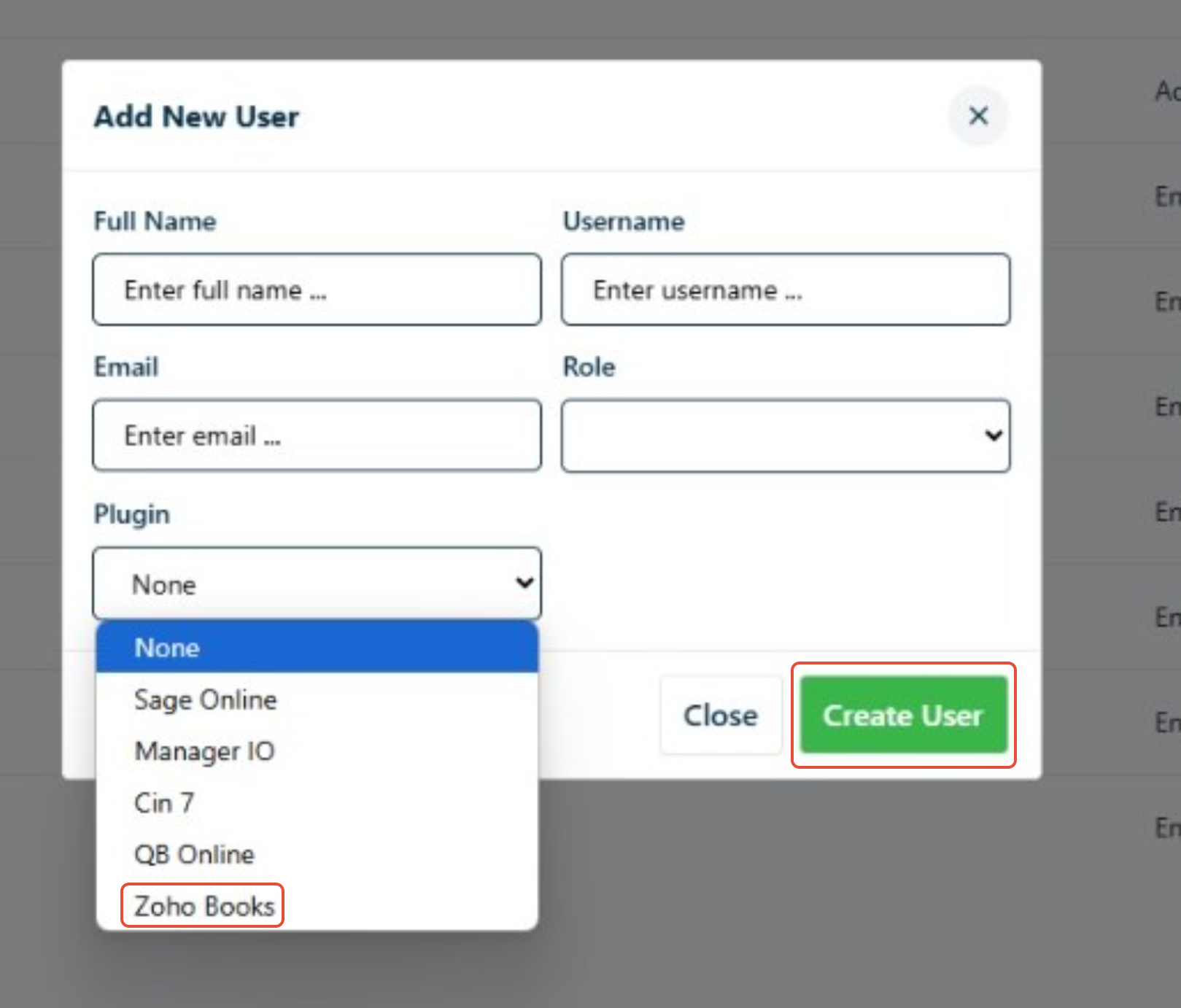
- Navigate to Users > Add Users. Once on the page, fill in the required user details:
- Name
- Surname
- Email
- Role
- Plugin (ZOHOO BOOKS)
- Click "Create User" to save the new user setup.
 Client will receive and email and set a password
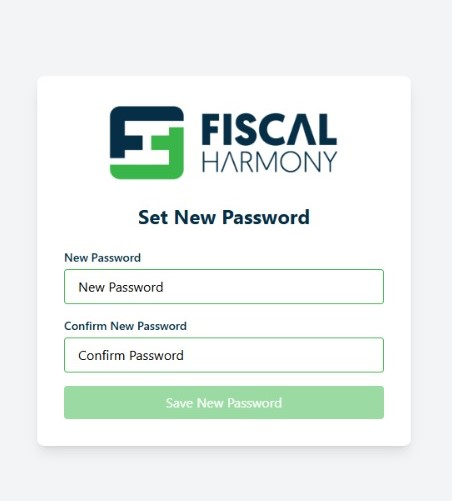
 - As the client, enter the link from the email and then enter a new password.
- Click on "Save new password" and then log in the client's Plugins portal on https://plugins.fiscalharmony.co.zw/.
Step 2. Connecting Zoho Books to Fiscal harmony
- On the plugins portal, click "Zoho Books".
- A Zoho Books authorisation window will appear:
- Log in to the relevant Zoho Books account.
- Grant full access to Fiscal Harmony when prompted.
Step 3. Create webhooks
- Create an Invoice web-hook, follow the steps and guidelines through this link: Zoho Books Invoice webhook
- Create an credit note web-hook, follow the steps and guidelines through this link: Zoho Books Credit Note web-hook
Step 4. Create workflows
- Create an Invoice workflow, follow the steps and guidelines through this link: Zoho Books Invoice Workflow
- Create an credit note workflow, follow the steps and guidelines through this link: Zoho Books Credit Note Workflow
For further assistance, reach out to our support team:
Call Centre: +263 8677 010 305
Call Centre: +263 8677 010 305
WhatsApp: +263 783 323 154
Related Articles
Meat Matrix and Fiscal Harmony Integration Guide
Overview This guide outlines the steps to integrate Meat Matrix with the Fiscal Harmony plugin for the compliant fiscalisation of invoices and credit notes with the Zimbabwe Revenue Authority (ZIMRA). Prerequisites Download the Fiscal Harmony Plugin ...ERP Next and Fiscal Harmony Integration Guide
Overview This guide provides a step-by-step process for integrating ERP Next with the Fiscal Harmony plugin, facilitating the fiscalization of invoices and credit notes for compliance with the Zimbabwe Revenue Authority (ZIMRA). Prerequisites Setting ...QuickBooks and Fiscal Harmony Integration Guide
Overview This guide provides a step-by-step process for integrating QuickBooks with the Fiscal Harmony plugin, facilitating the fiscalization of invoices and credit notes for compliance with the Zimbabwe Revenue Authority (ZIMRA). Step 1. Downloading ...MS Excel and Fiscal Harmony Integration Guide
Overview This guide explains how to install and configure fiscalisation in Microsoft Excel using the Fiscal Harmony software. It walks you through downloading the required files, installing the necessary tools, and setting up the integration so that ...Manager.IO and and Fiscal Harmony Integration Guide
Overview This guide outlines the steps necessary to set up fiscalization using Manager IO and integrate it with Fiscal Harmony APIs. The process involves obtaining API credentials, configuring fields in Manager IO, and setting up the integration to ...