Zimbabwe’s VAT has increased from 15% to 15.5% under the 2026 Budget.
To stay compliant, update your tax settings in Odoo so all invoices reflect the new rate.
How to Add 15.5% VAT in Odoo Online
1. Go to Configuration
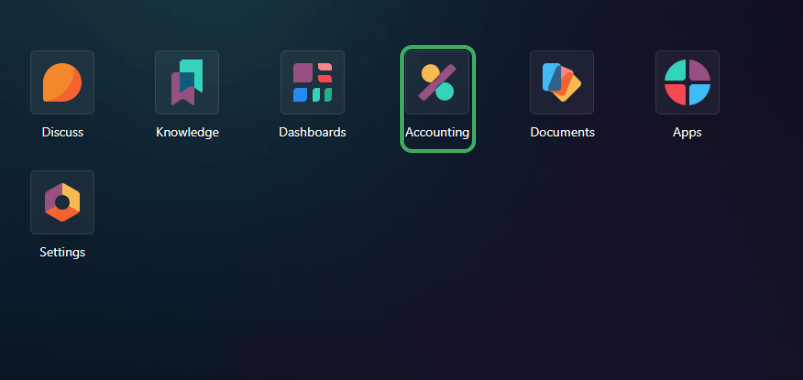
- From your main menu click on Accounting or POS
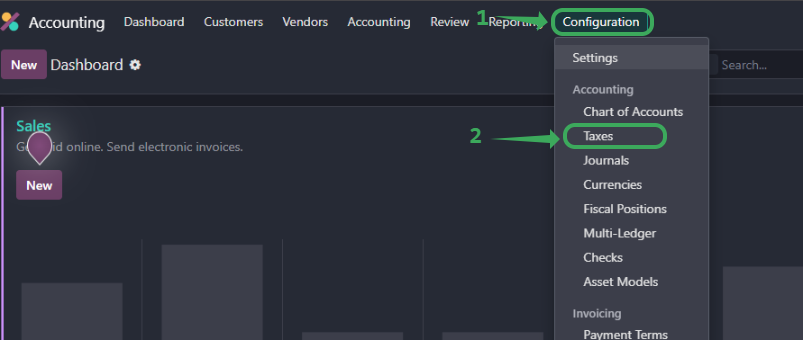
- From the top menu, click Configuration > Accounting > Taxes
2. Create or Edit a Tax
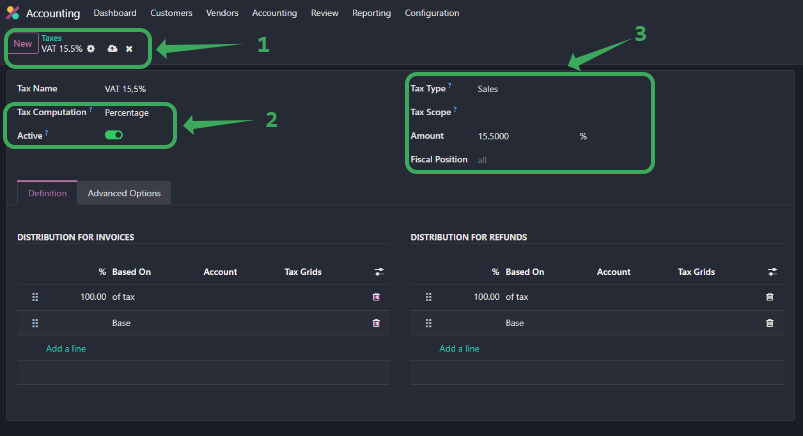
- Click New or select an existing VAT entry to update
- Set the Tax Name to
VAT 15.5% - Set Amount to
15.5 Make sure Tax Type isSalesand Active is toggled ON
3. Set Distribution
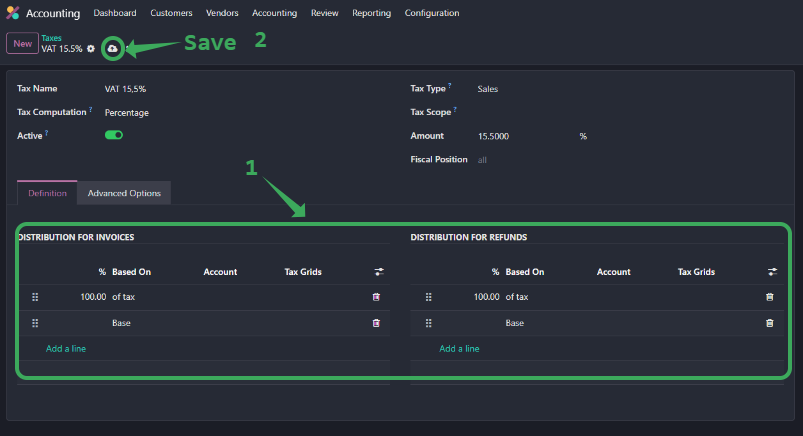
- Under Definition set 100% of tax to apply to the Base for both invoices and refunds
- You can leave Tax Scope and Fiscal Position as default unless you use custom setups
3. Set and Test
- Click Save
- Try creating a test invoice to confirm VAT is calculated at 15.5%
Was this article helpful?
That’s Great!
Thank you for your feedback
Sorry! We couldn't be helpful
Thank you for your feedback
Feedback sent
We appreciate your effort and will try to fix the article