How to Change VAT from 15% → 15.5%
Step-by-Step Guide
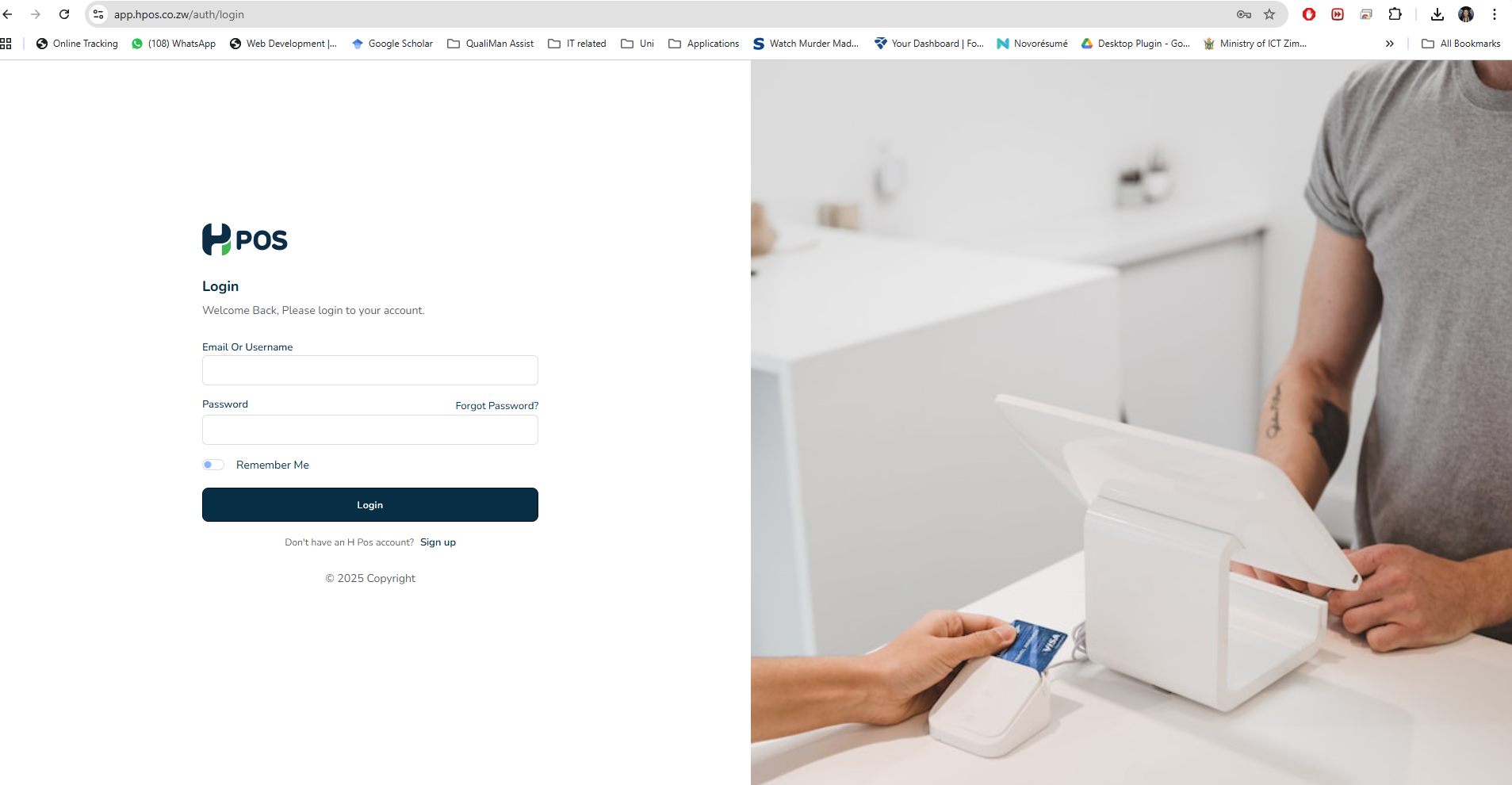
- Login to HPOS
- Login using the admin account which has all the rights to make changes within the account
- Website link: app.hpos.co.zw
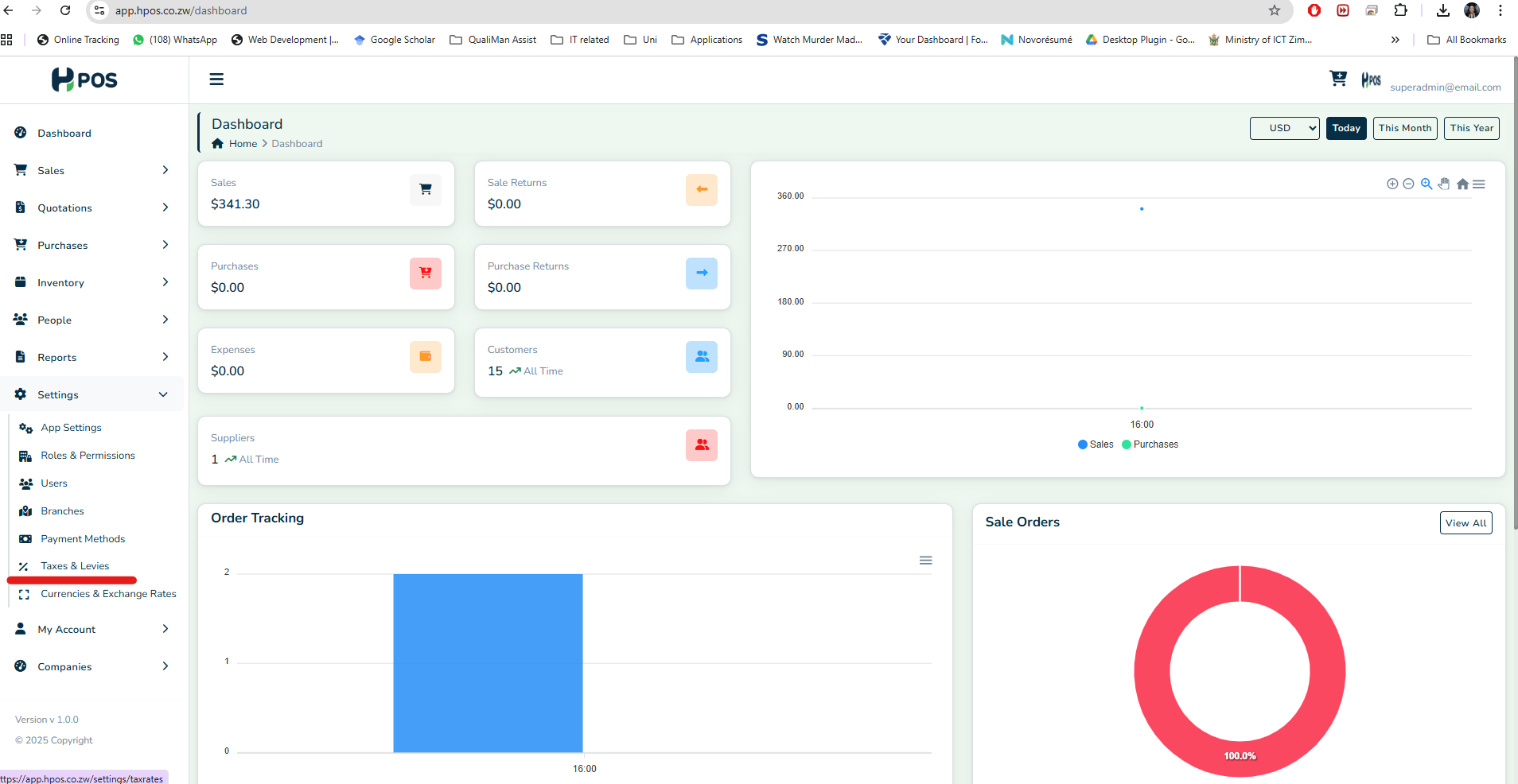
- Access Settings:
- On the left panel navigate to the "Settings,"
- Select "Taxes & Levies"
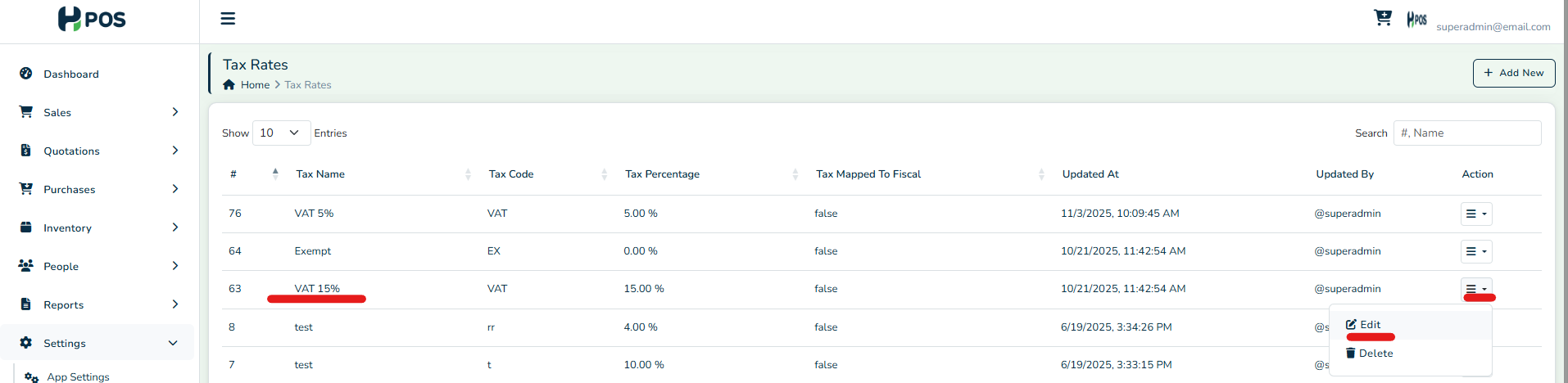
- Tax Rates:
- For your VAT 15% tax option, you will click the "Action" icon
- Select the "Edit" option
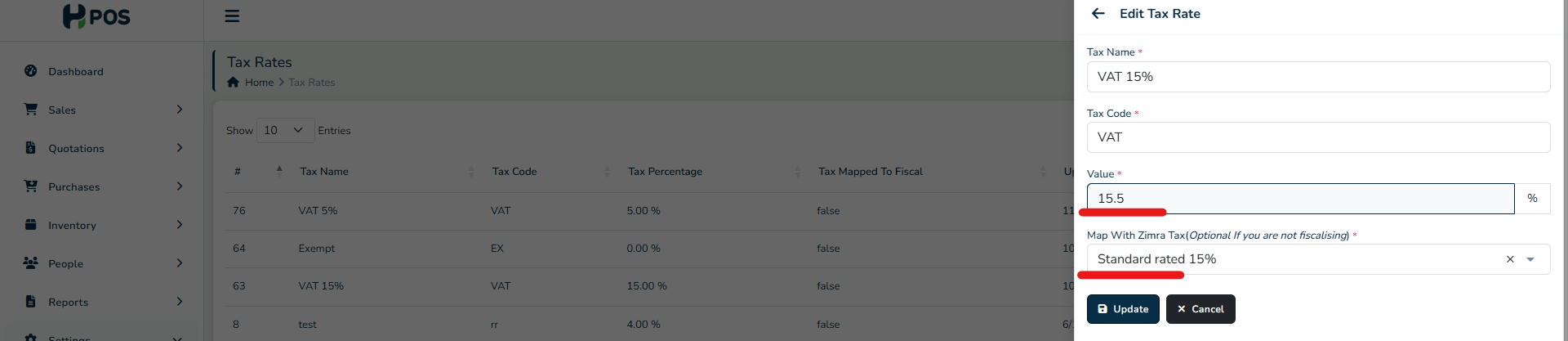
- Edit:
- You will edit the tax Value from 15% to 15.5%
- You will then map the new Zimra Tax to the corresponding one shown on the drop down list.
- Products:
- Under "Inventory," access the products
- You will do a bulk update for all products
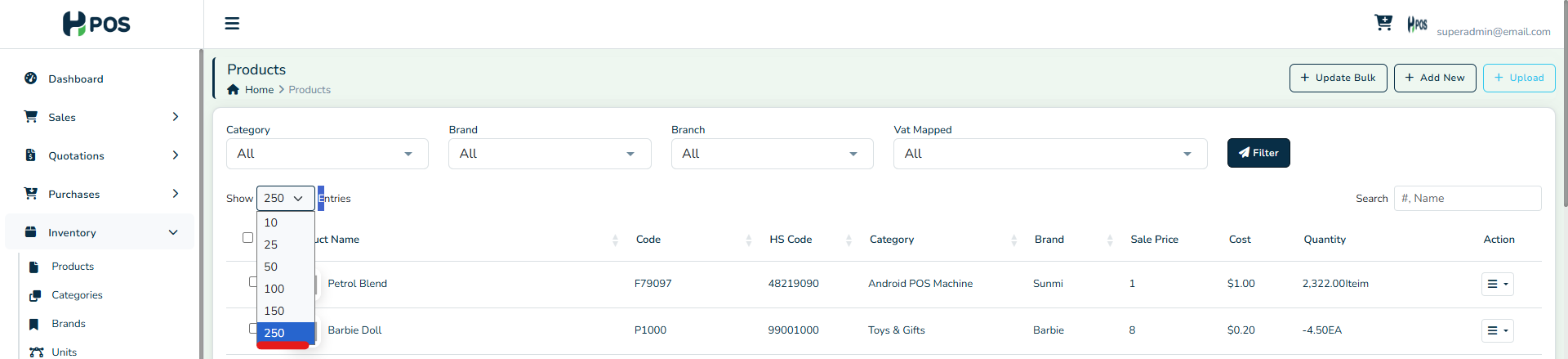
- Filter to show the max 250 entries per page if you have many products
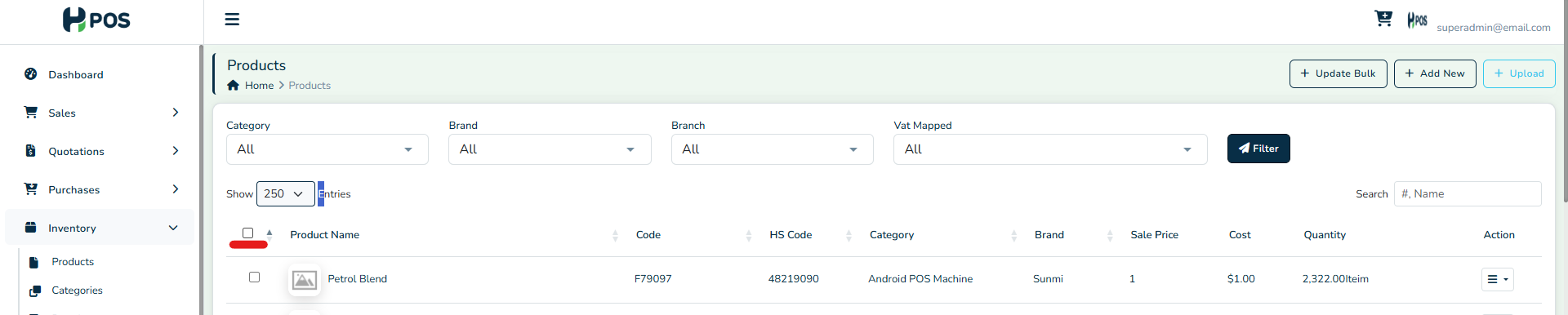
- Auto select all products
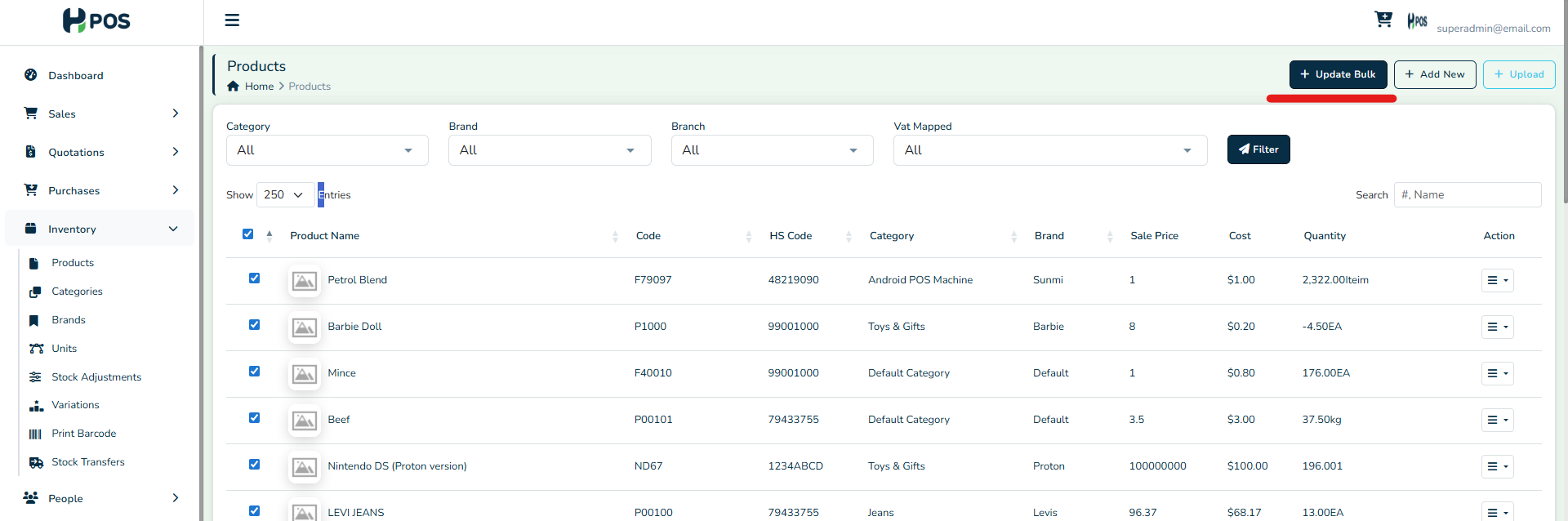
- Select the "Bulk Update" option in the top right of the page
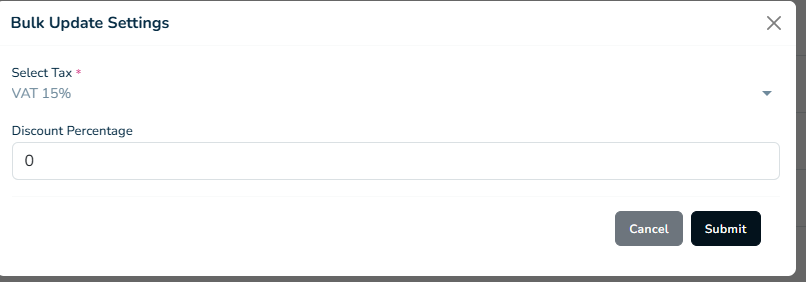
- Select the corresponding new VAT option from the drop down & "Submit"
- All VAT 15% products will be updated to the new VAT 15.5% tax rate.
Was this article helpful?
That’s Great!
Thank you for your feedback
Sorry! We couldn't be helpful
Thank you for your feedback
Feedback sent
We appreciate your effort and will try to fix the article