Zimbabwe’s VAT has increased from 15% to 15.5% under the 2026 Budget. From now on, make sure all invoices and transactions use the new 15.5% rate.
Updating your ManagerIO tax code will keep your records correct and compliant.
Step by Step: Add the New VAT Rate
1. Go to Settings
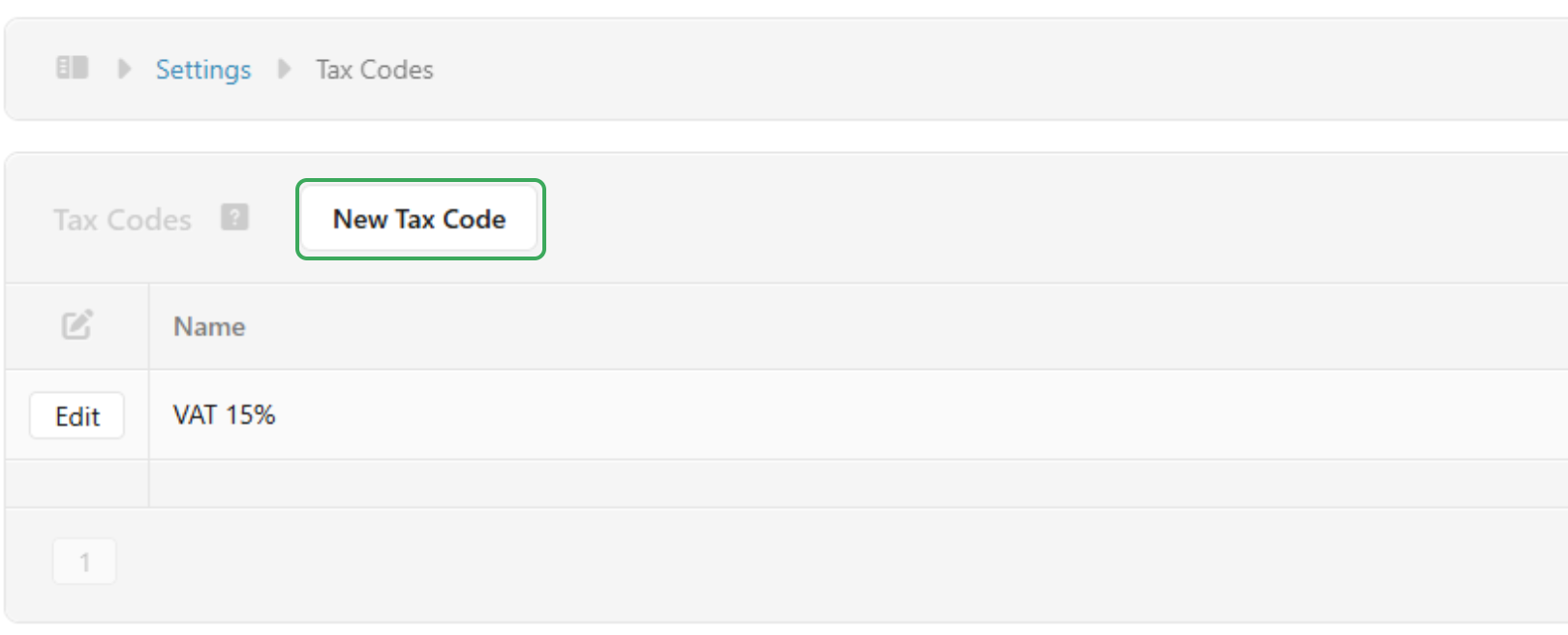
- From the main dashboard click on Settings
- Select Tax Codes

2. Create a New Tax Code
- Click New Tax Code
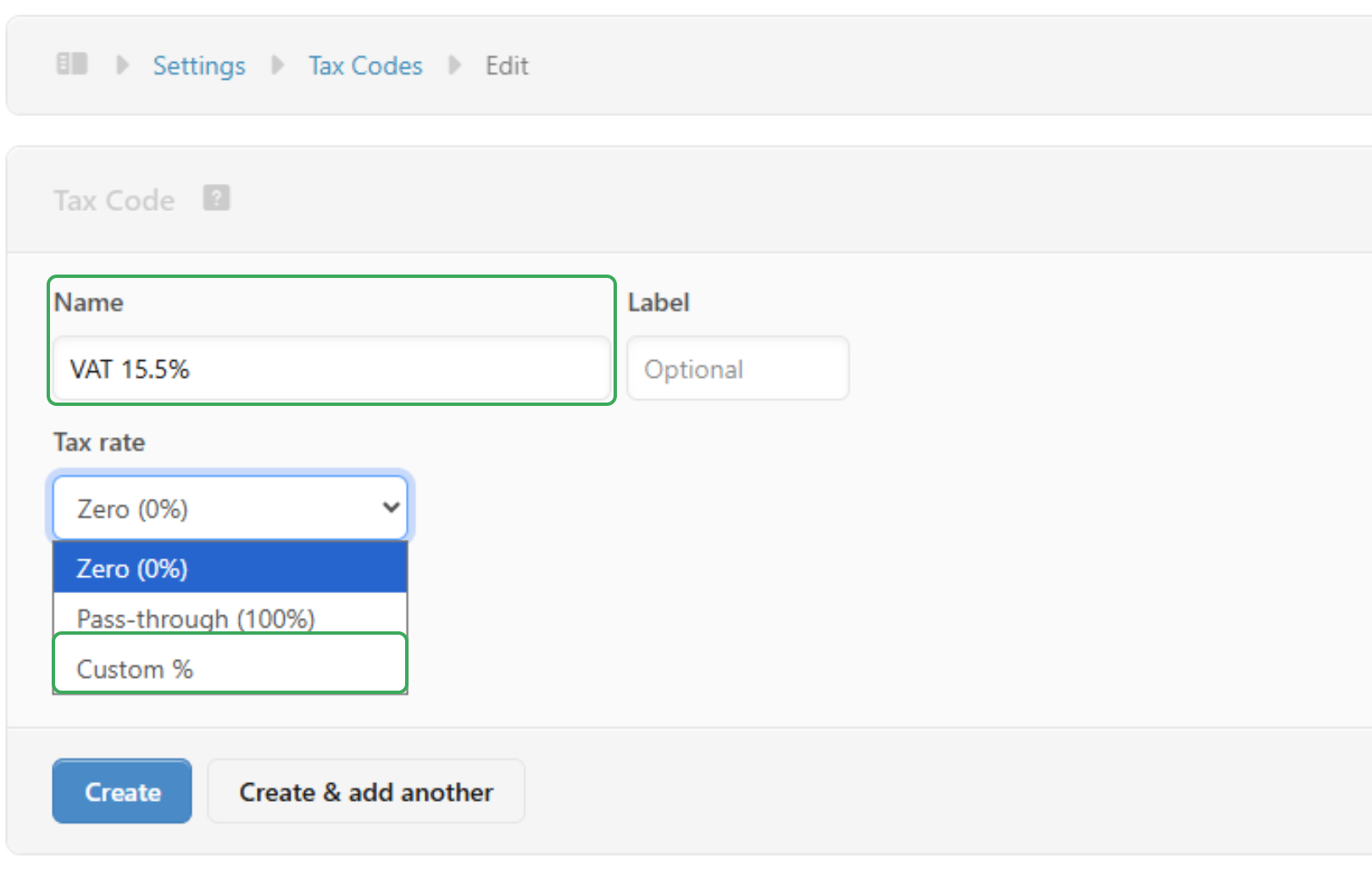
- Enter the Name as
VAT 15.5% - Leave the Label blank or add one if needed
- For Tax rate, choose
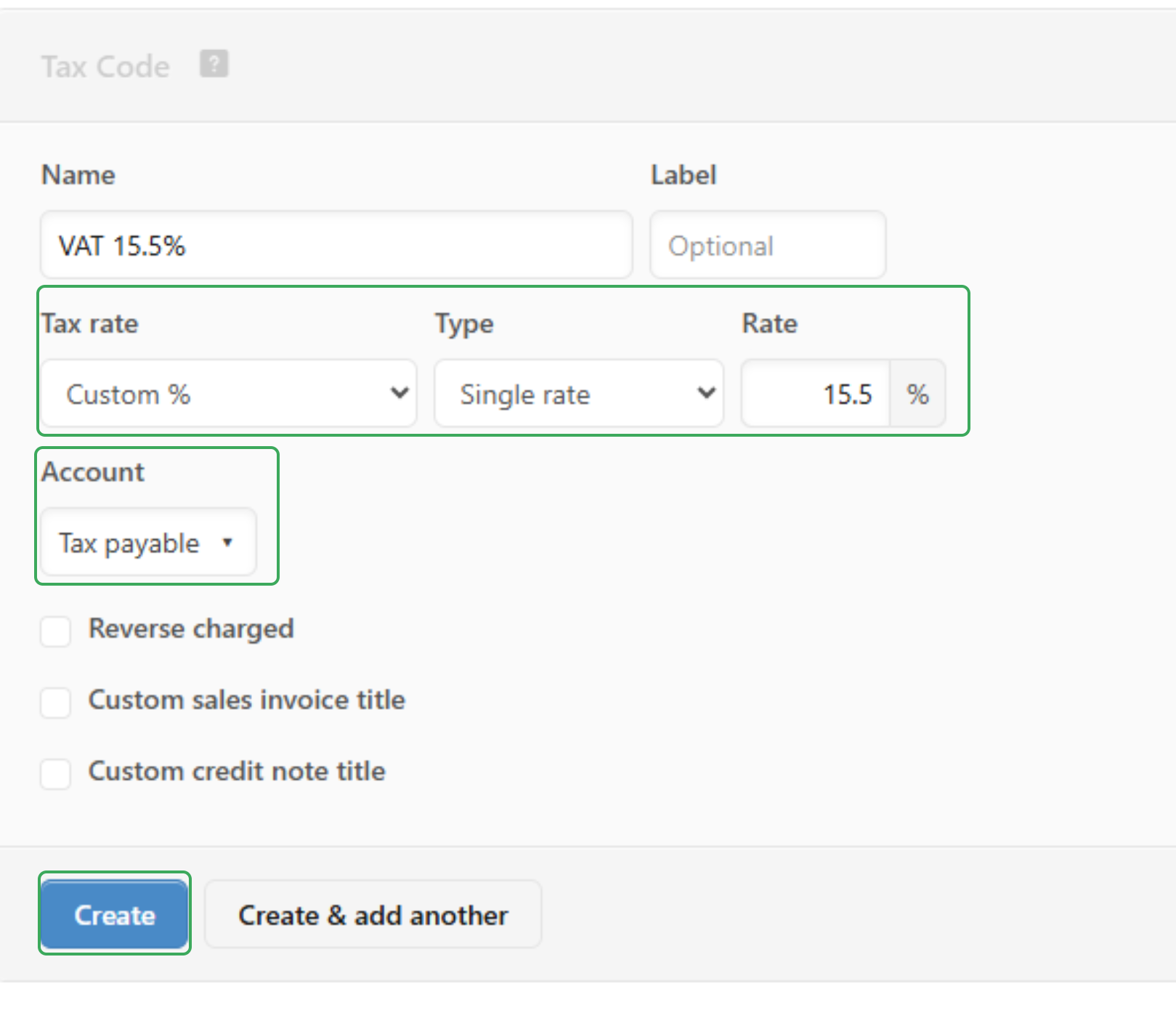
Custom % - Set the Rate to
15.5% Make sure Type is set toSingle rateChoose the correct Account (e.g.Tax payable)
3. Save the Tax Code
- Click Create
- Your new VAT rate is now ready to use on invoices and credit notes
Was this article helpful?
That’s Great!
Thank you for your feedback
Sorry! We couldn't be helpful
Thank you for your feedback
Feedback sent
We appreciate your effort and will try to fix the article