Processing a Credit Note in Meat Matrix POS
Overview
A Credit Note is processed in the Meat Matrix POS as a Refund. This requires supervisor authorization for security and accurate accounting.
Steps
Step 1. Initiate the Refund
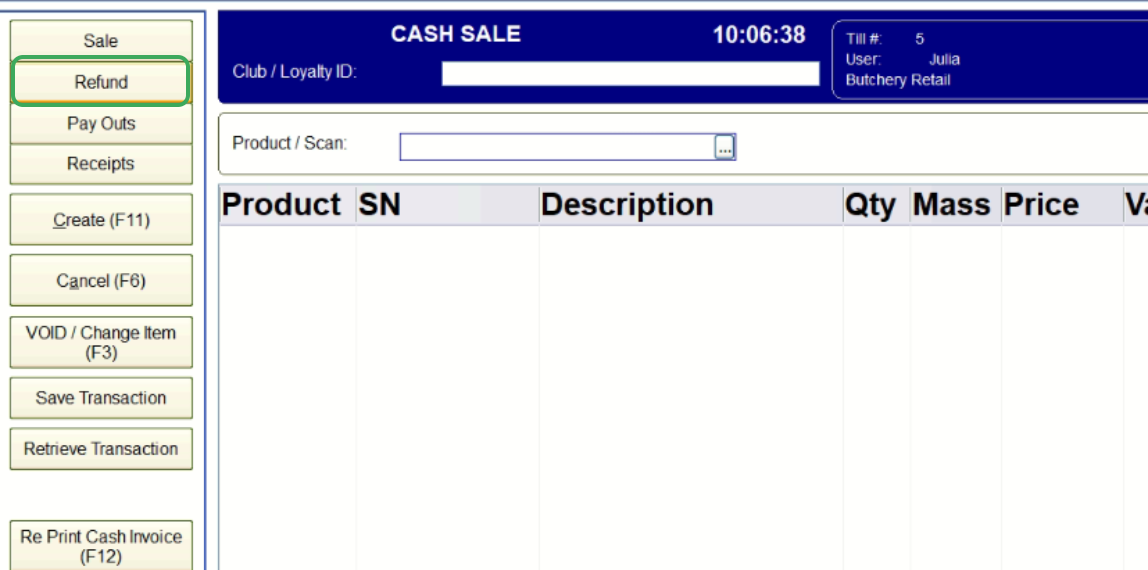
- On the main POS screen, click the Refund button located on the menu on the left side.
Step 2. Supervisor Authorisation
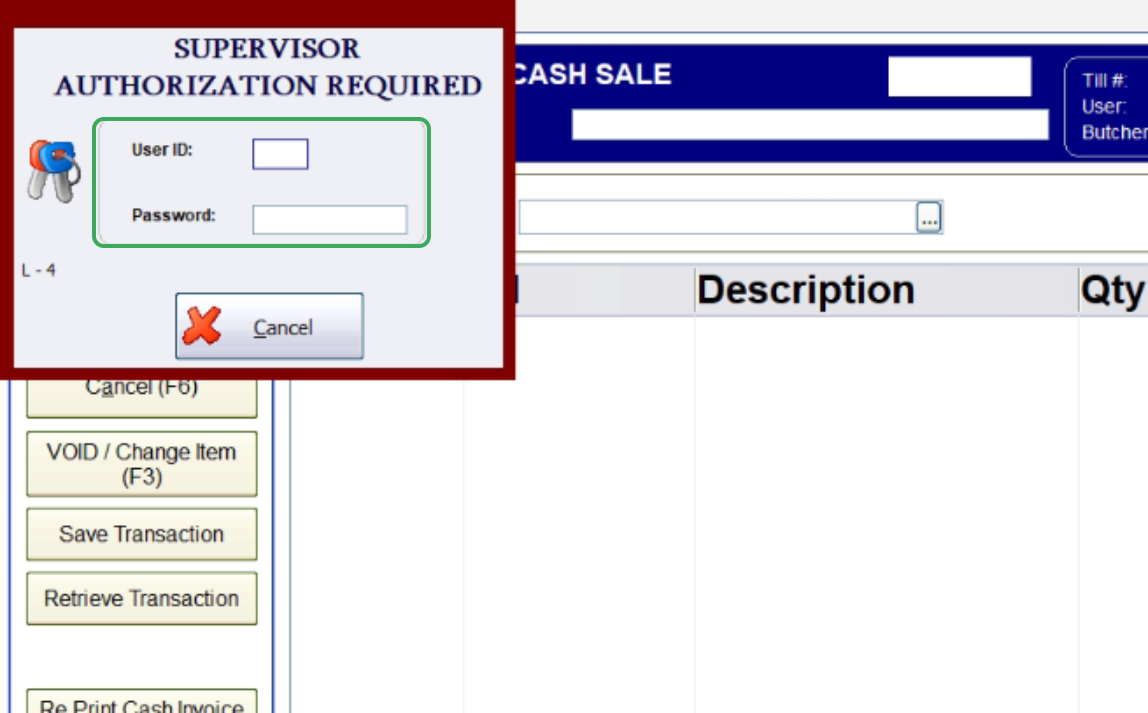
- A "SUPERVISOR AUTHORIZATION REQUIRED" pop-up screen will appear. The supervisor must enter their User ID and Password to authorise the refund.
Step 3. Enter the Product(s) to be Refunded
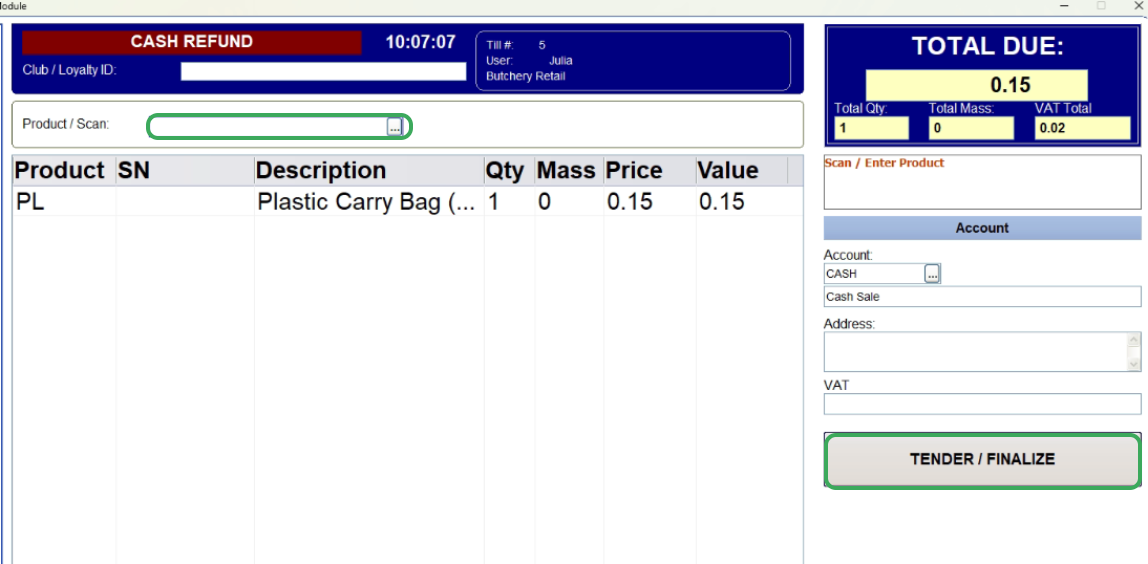
- After authorization, the POS screen will change to a CASH REFUND session.
- In the Product / Scan field, enter the product(s) that are being returned by the customer.
- Click the TENDER / FINALIZE button on the right side of the screen.
Step 4. Fiscalise the Credit Note
- The screen will change to Cash Refund. Click the small button next to the field to automatically populate the amount.
- This will also update the Total Tendered amount at the bottom. Click PROCESS to complete the refund
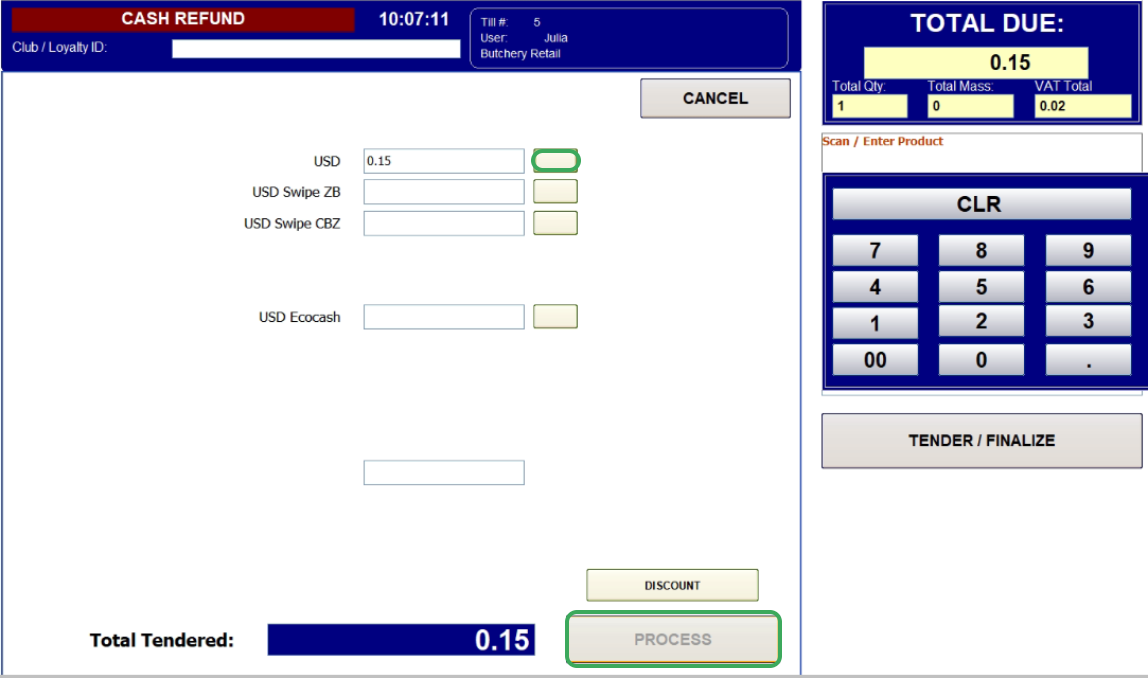
The system will now finalize the transaction, record the credit note.
Related Articles
Fiscalising an Invoice in Meat Matrix POS
Overview This guide will walk you through the four steps required to process a sale and generate a fiscalized invoice using the Meat Matrix Point of Sale POS system. Steps Step 1. Initiate the Sale Open the Meat Matrix POS application. In the ...Fiscalising a Credit Note in Sage Evolution
Overview Sage 200 Evolution is an Enterprise Resource Planning (ERP) software system designed to help businesses manage various aspects of their operations, including finance, customer relationships, and supplier relationships. It goes beyond ...Creating and Fiscalising Credit Notes in Palladium Accounting
Overview Please follow the following steps to fiscalise credit notes using Palladium accounting. Steps Step 1. Opening Application Running the Fiscal Harmony Plugin Right click on the app and click "Run as administrator" option. Click the upward ...Creating and Fiscalising Credit Notes in Sage Pastel Express Accounting
Overview Please follow the following steps to fiscalise credit notes using Sage Pastel Express Accounting. Step-by-step process Step 1. Opening the application Running the Fiscal Harmony Plugin Right click on the app and click "Run as administrator" ...Fiscalizing a Credit Note in Manager.io
Overview Step-by-step Process Step 1: Create Credit Note Go to the invoice for which you want to issue a Credit Note. Click on the "Clone to Credit Note" button. This will generate a Credit Note based on the selected invoice. Once the Credit Note ...