Fiscalizing a Credit Note in Manager.io
Overview
Step-by-step Process
Step 1: Create Credit Note
- Go to the invoice for which you want to issue a Credit Note.
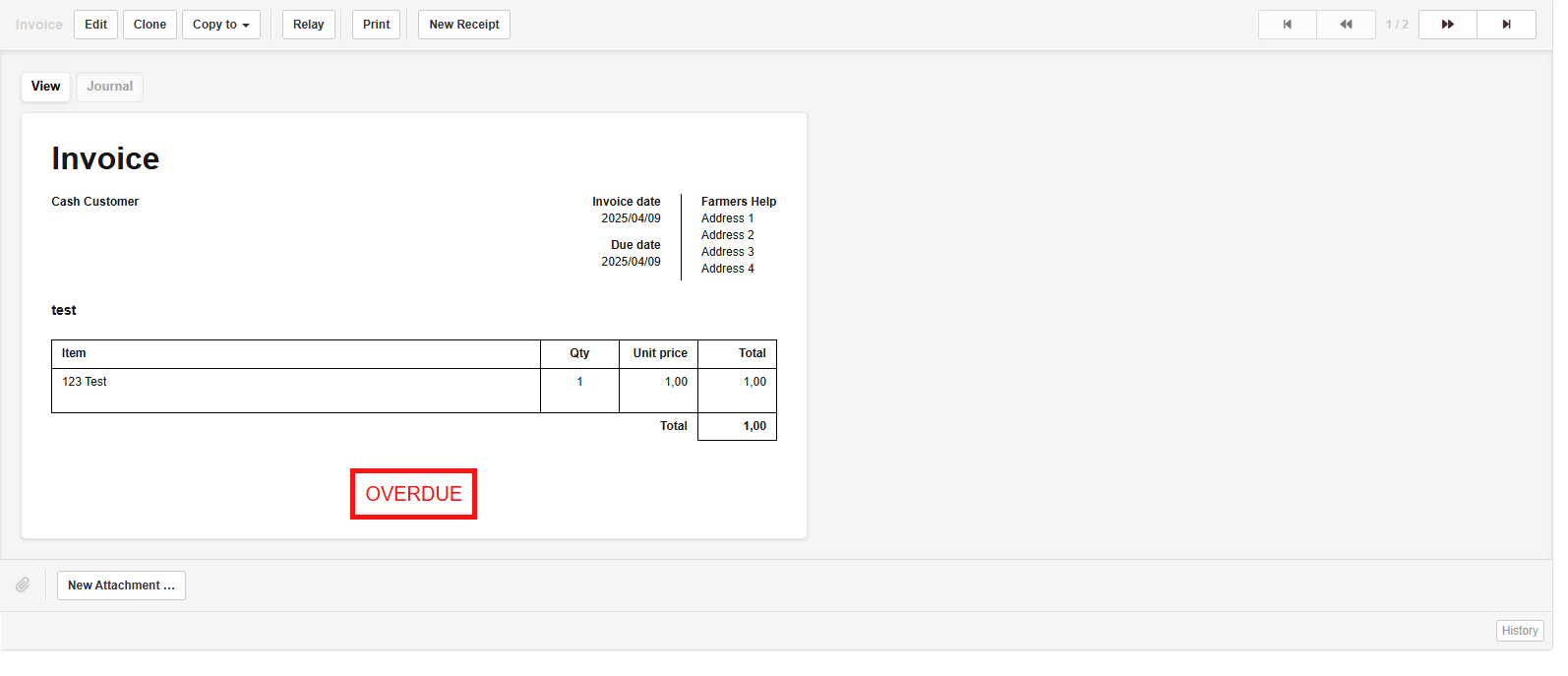
- Click on the "Clone to Credit Note" button. This will generate a Credit Note based on the selected invoice.
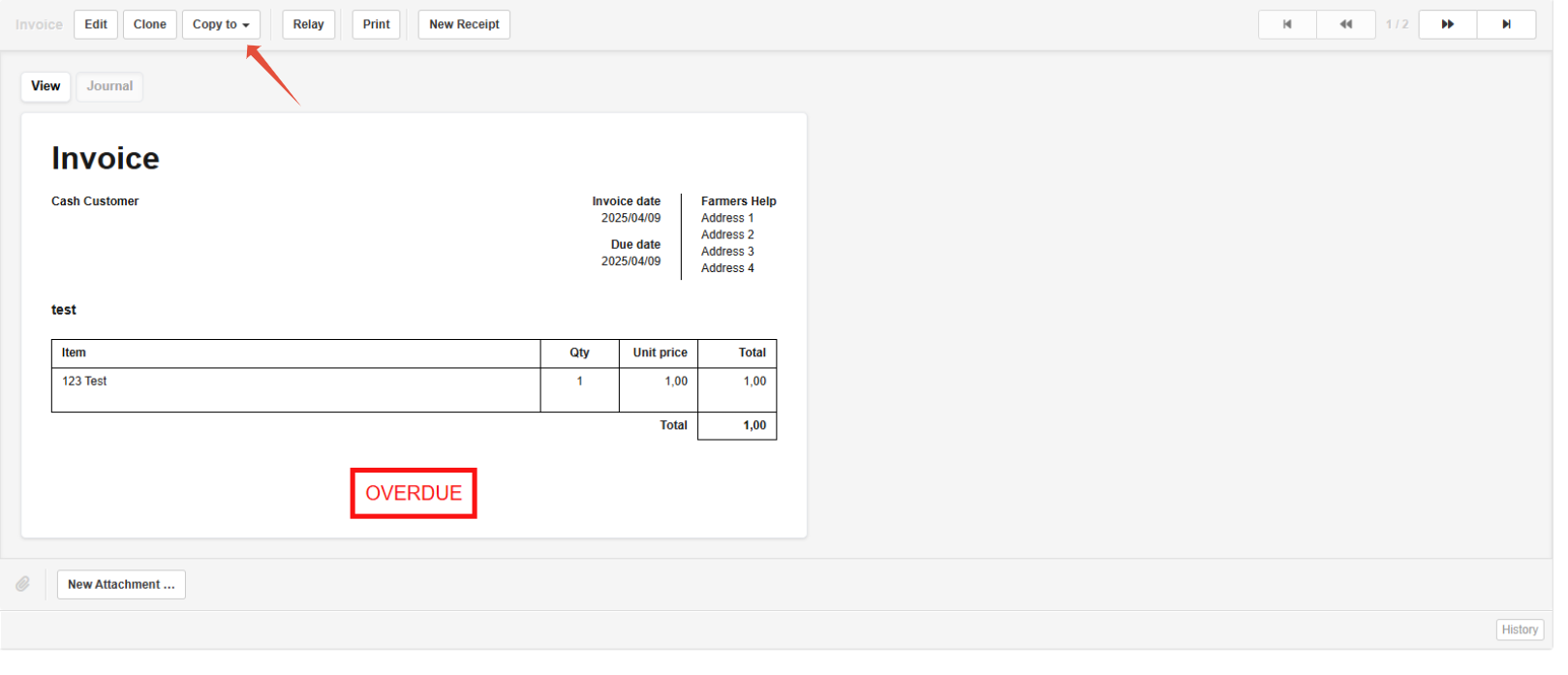
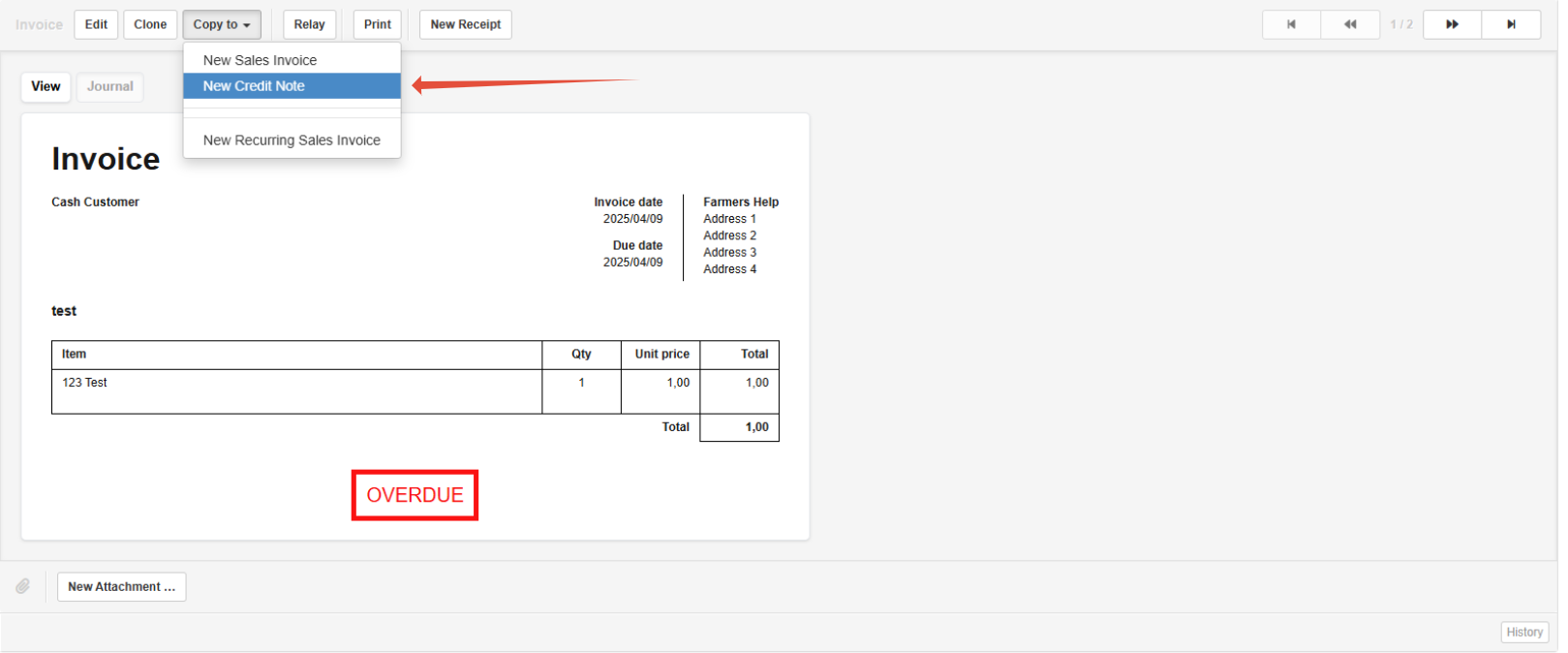
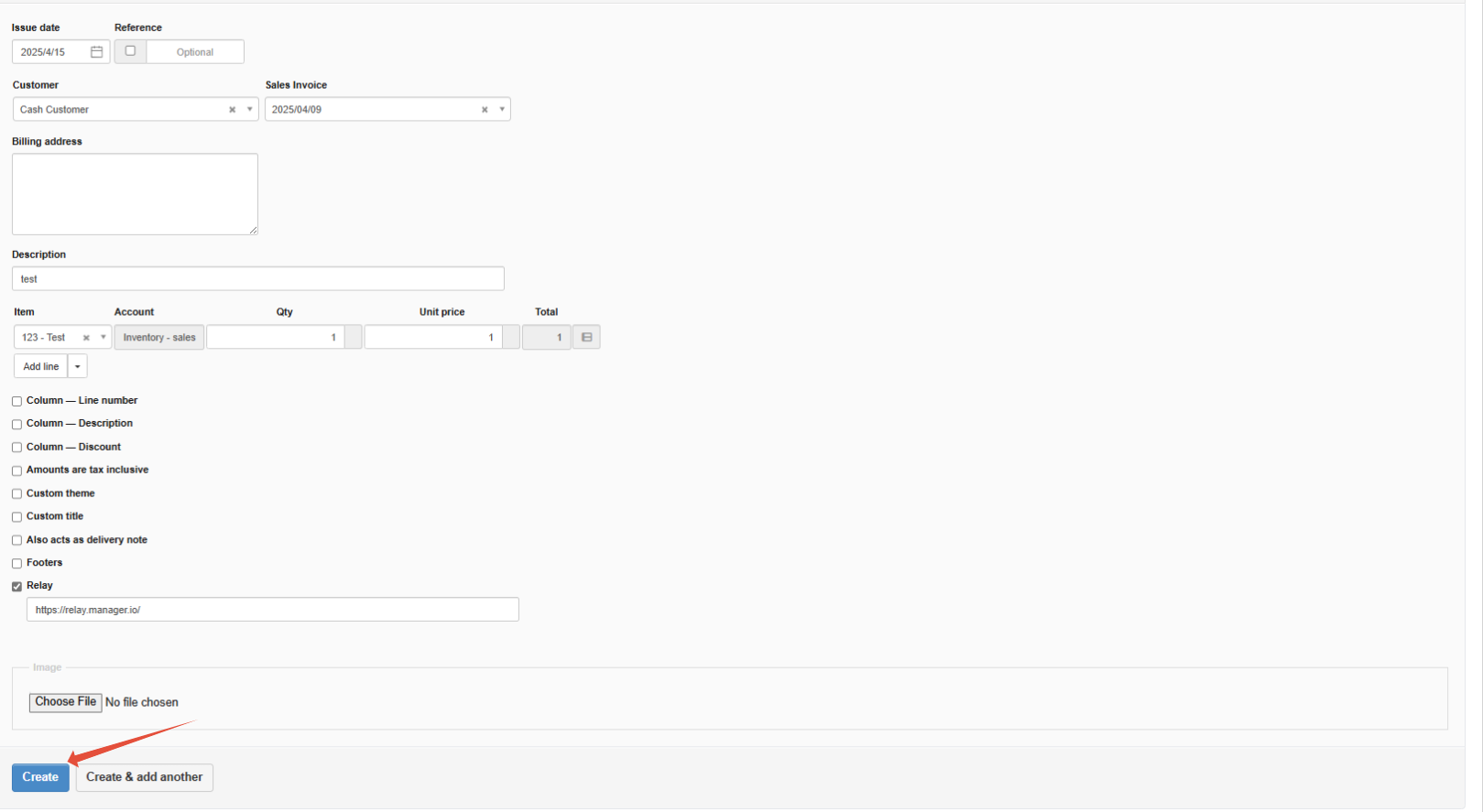
- Once the Credit Note fields are displayed, review the details and click "Create" to save the Credit Note.
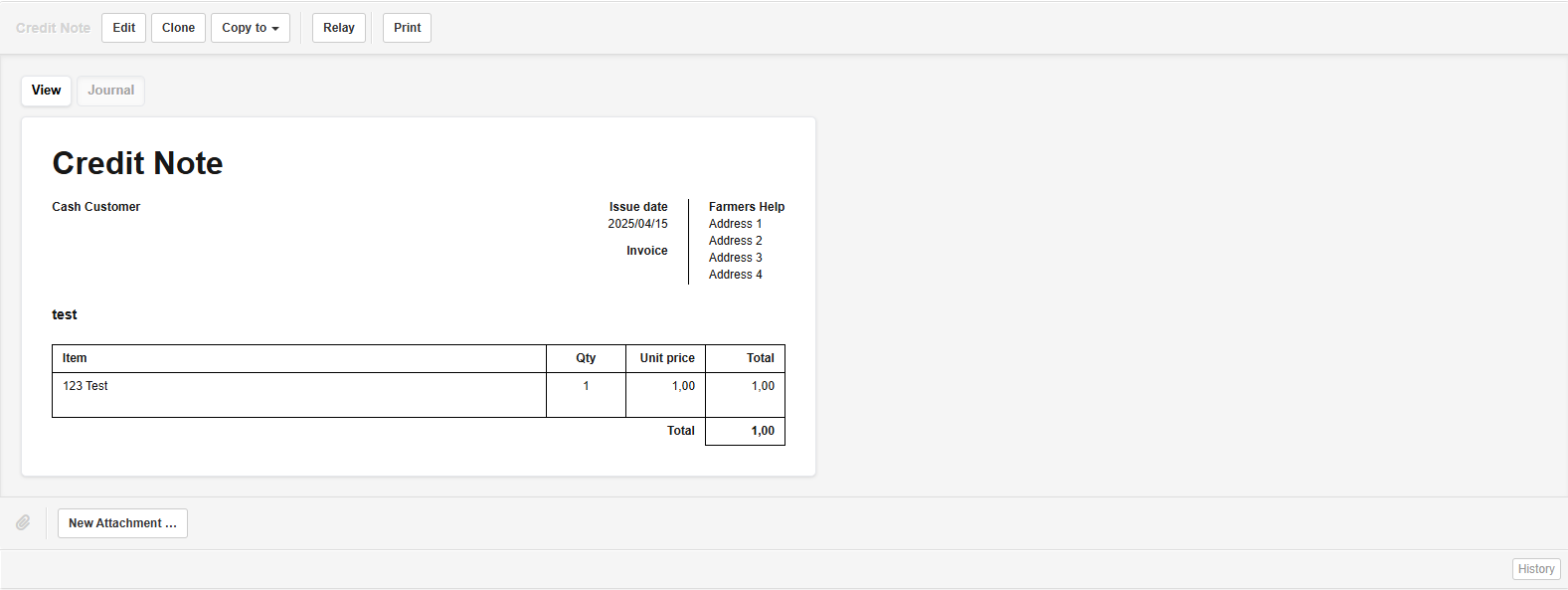
Step 2: Fiscalise the Credit Note
- Click "Relay" to fiscalise the Credit Note. This action sends the Credit Note to the fiscal device/system for processing.
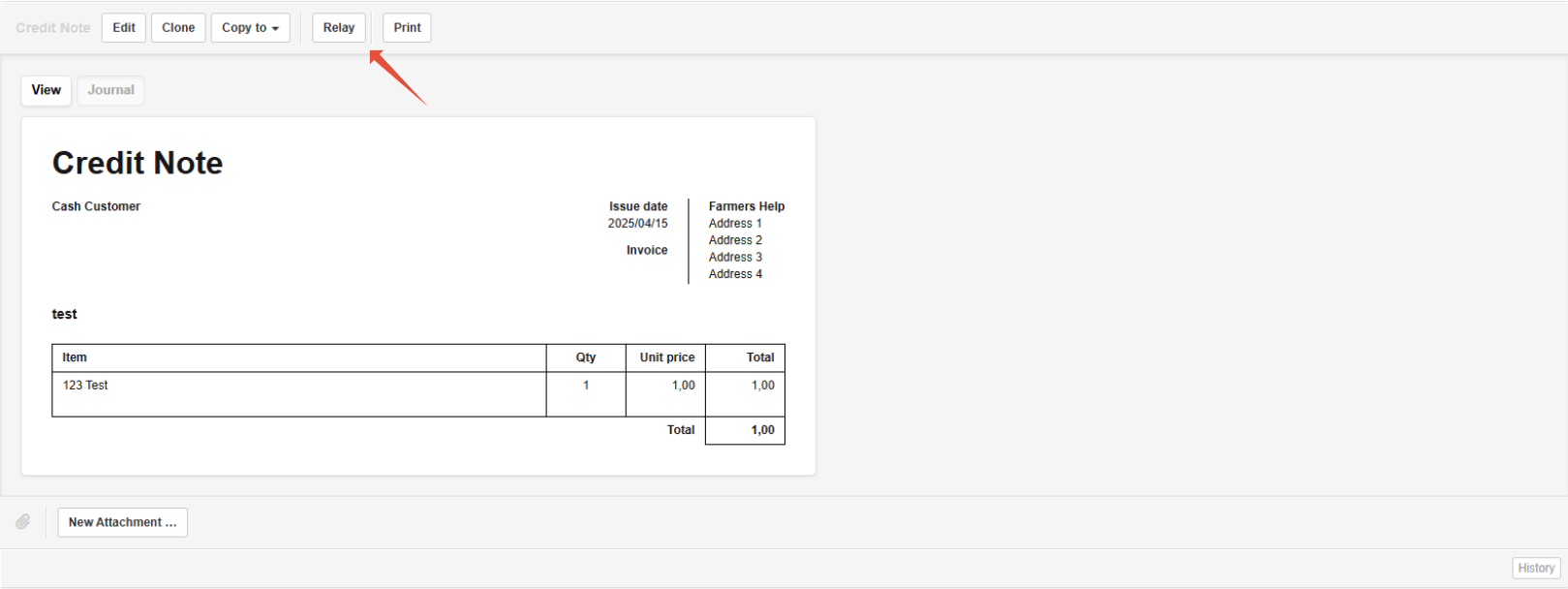
- To view if your credit note has been fiscalised, navigate to the Fiscal Harmony app on https://app.fiscalharmony.co.zw and navigate to the Logs from the side bar.

Note: Make sure all credit note details are accurate before fiscalising, as fiscalised documents cannot be edited.
Related Articles
Fiscalising an Invoice in Manager.io
Overview This guide provides a step-by-step process for fiscalizing an invoice using the Relay button in Manager IO after integrating with Fiscal Harmony. It also outlines the prerequisites and best practices to ensure successful fiscalisation. ...Creating and Fiscalising Credit Notes in Palladium Accounting
Overview Please follow the following steps to fiscalise credit notes using Palladium accounting. Steps Step 1. Opening Application Running the Fiscal Harmony Plugin Right click on the app and click "Run as administrator" option. Click the upward ...Creating and Fiscalising Credit Notes in Sage Pastel Express Accounting
Overview Please follow the following steps to fiscalise credit notes using Sage Pastel Express Accounting. Step-by-step process Step 1. Opening the application Running the Fiscal Harmony Plugin Right click on the app and click "Run as administrator" ...Fiscalising a Credit Note in Xero
Overview A credit note in Xero is a document that is used to reduce the amount owed on an invoice or bill, essentially acting as a correction or adjustment to a previous transaction. It’s commonly used for scenarios such as returns and issues, ...Fiscalising a Credit Note in Sage Online
Overview Sometimes an error is made after an invoice has been created, or a customer may return goods. In this case, you need to create a Credit Note to correct or reduce the customer's balance. Step-by-step process Step 1. Locate the Original ...