Fiscalising an Invoice in Xero
Overview
Prerequisites
To fiscalise with this integration, you would need:
- Your Xero Account is connected to Fiscal Harmony.
Step-by-step Process
Step 1. Navigate to the Invoices.
- Locate the Sales module on the top nav. Clicking this will open a drop-down.
- In the drop-down menu, select Invoices.
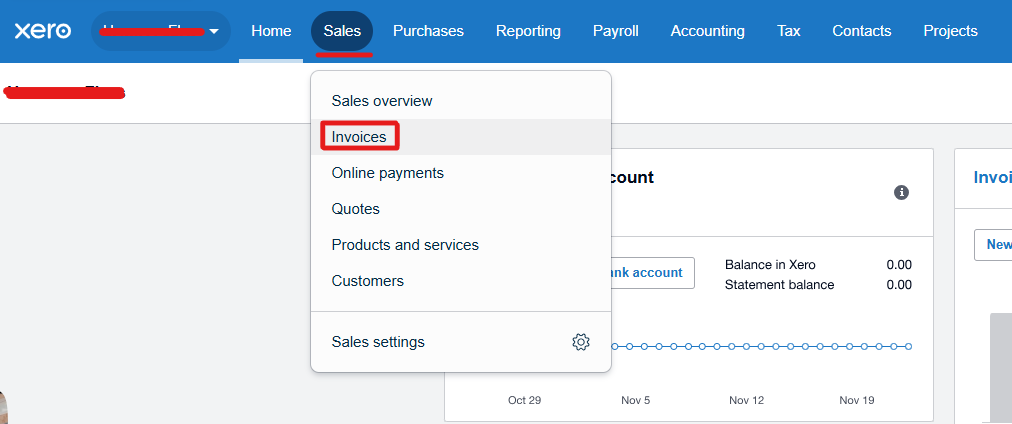
Step 2. Create a new Invoice.
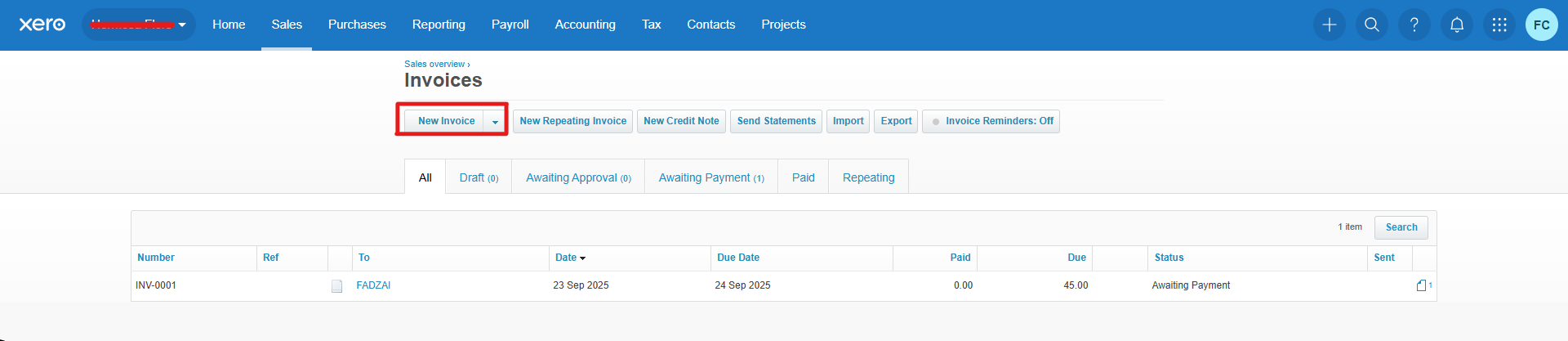
- Select the ‘ New Invoice’ button to create an invoice.
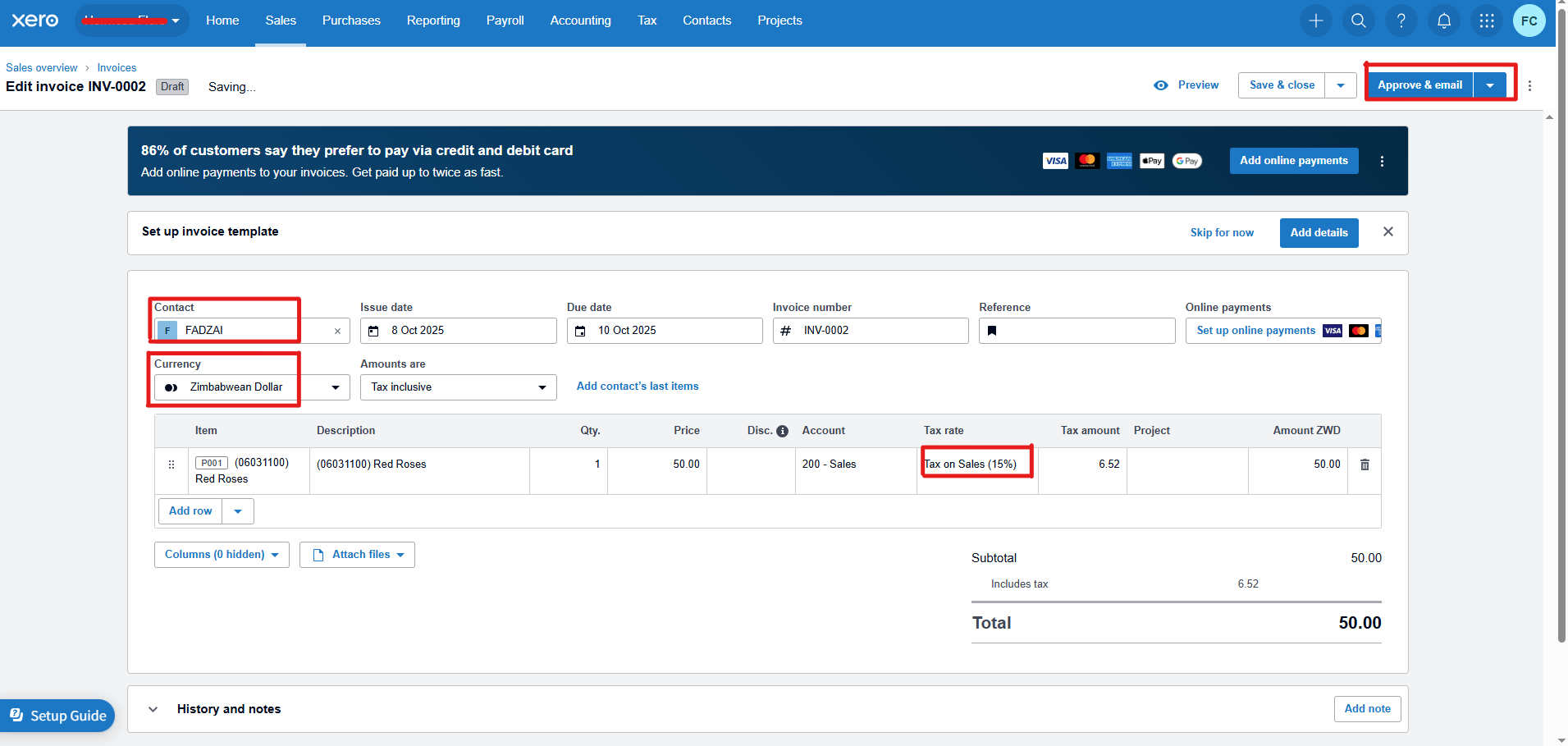
- Select the "Contact" you want to invoice.
- Select the "Currency" you want for your invoice.
- Select your "Product(s)" and their corresponding "Tax rate".
Step 3. Get your Fiscalised Invoice.
- To fiscalise your invoice, you will need to "Approve" your invoice.
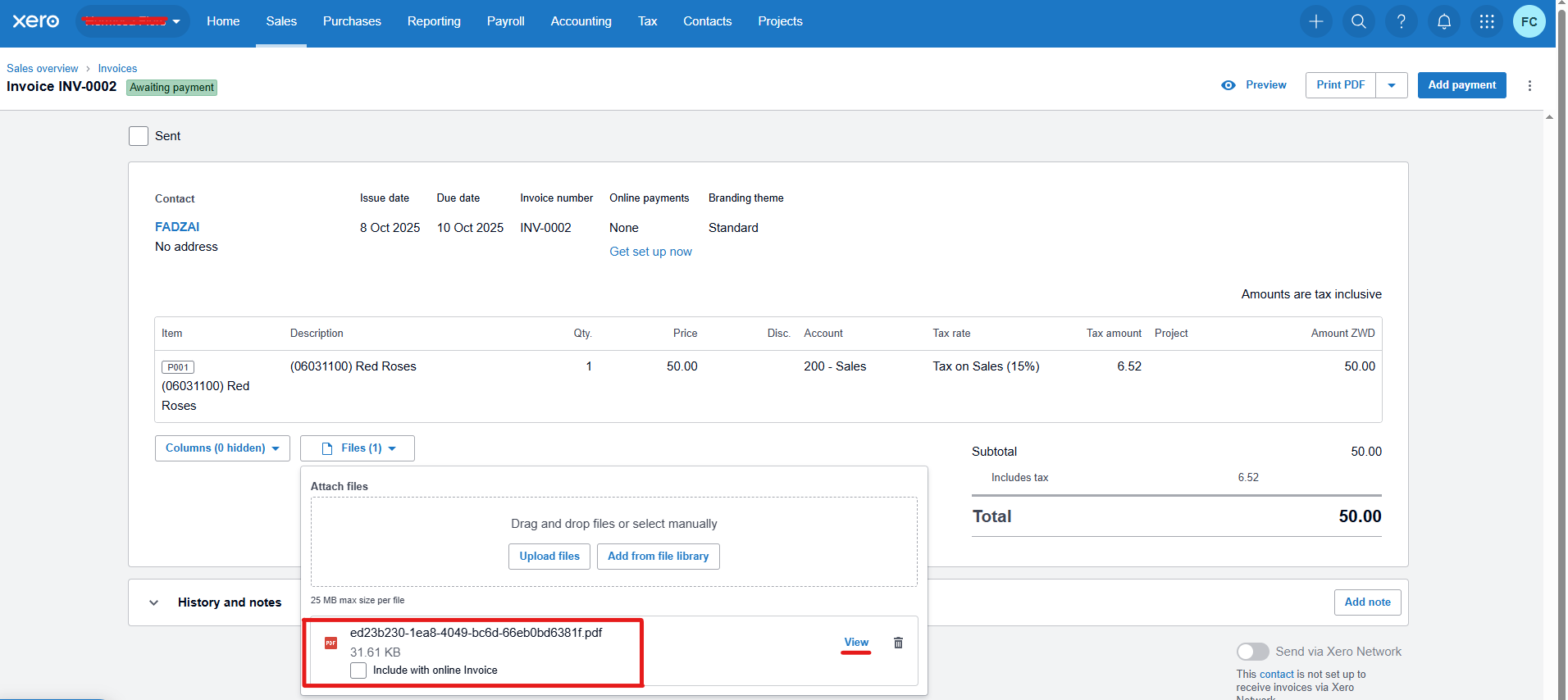
- Once you "Approve" your invoice, you will see an option to view Files attached to your Invoice.
- Attached will be your Fiscal Invoice which you can then "View" and Save.
You are all set up, Happy Fiscalising!
Related Articles
Fiscalising a Credit Note in Xero
Overview A credit note in Xero is a document that is used to reduce the amount owed on an invoice or bill, essentially acting as a correction or adjustment to a previous transaction. It’s commonly used for scenarios such as returns and issues, ...Creating and Fiscalising Credit Notes in Palladium Accounting
Overview Please follow the following steps to fiscalise credit notes using Palladium accounting. Steps Step 1. Opening Application Running the Fiscal Harmony Plugin Right click on the app and click "Run as administrator" option. Click the upward ...Creating and Fiscalising Credit Notes in Sage Pastel Express Accounting
Overview Please follow the following steps to fiscalise credit notes using Sage Pastel Express Accounting. Step-by-step process Step 1. Opening the application Running the Fiscal Harmony Plugin Right click on the app and click "Run as administrator" ...Creating and Fiscalising invoice in Palladium Accounting
Overview Please follow the following steps to fiscalise an invoice using Palladium accounting. Steps Step 1. Opening Application Running the Fiscal Harmony Plugin Right click on the app and click "Run as administrator" option. Click the upward arrow ...Fiscalising an Invoice in Sage Pastel Partner
Overview Step by step process To be able to create an invoice, log in to Sage Pastel. Step 1. Create Invoice Navigate to Customers > Documents > Fiscal Tax Invoice. Select the correct Customer from the list. Enter the Invoice Date, Reference Number, ...