Creating and Fiscalising invoice in Palladium Accounting
Overview
Please follow the following steps to fiscalise an invoice using Palladium accounting.
Steps
Step 1. Opening Application
- Running the Fiscal Harmony Plugin
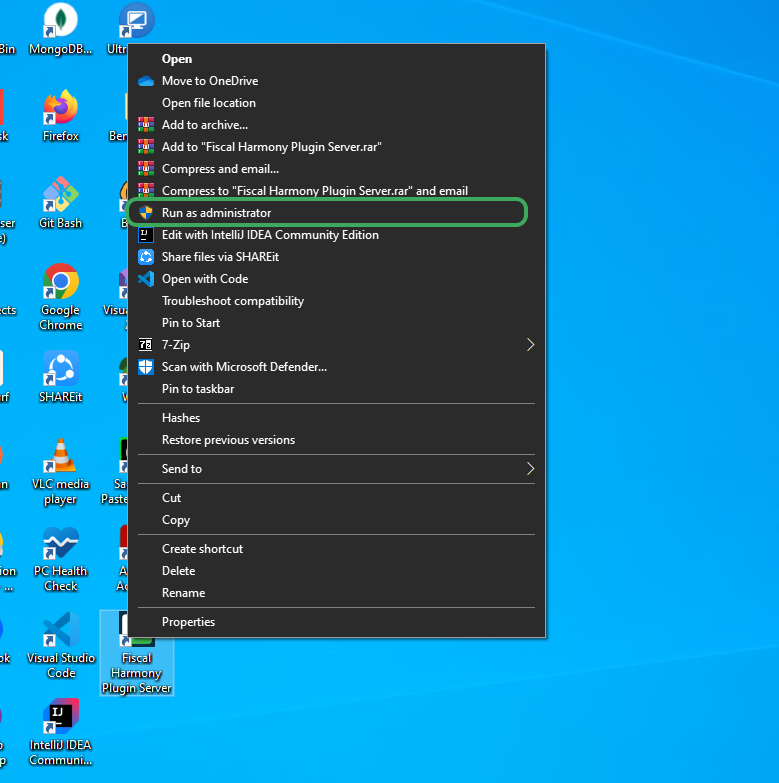
- Right click on the app and click "Run as administrator" option.
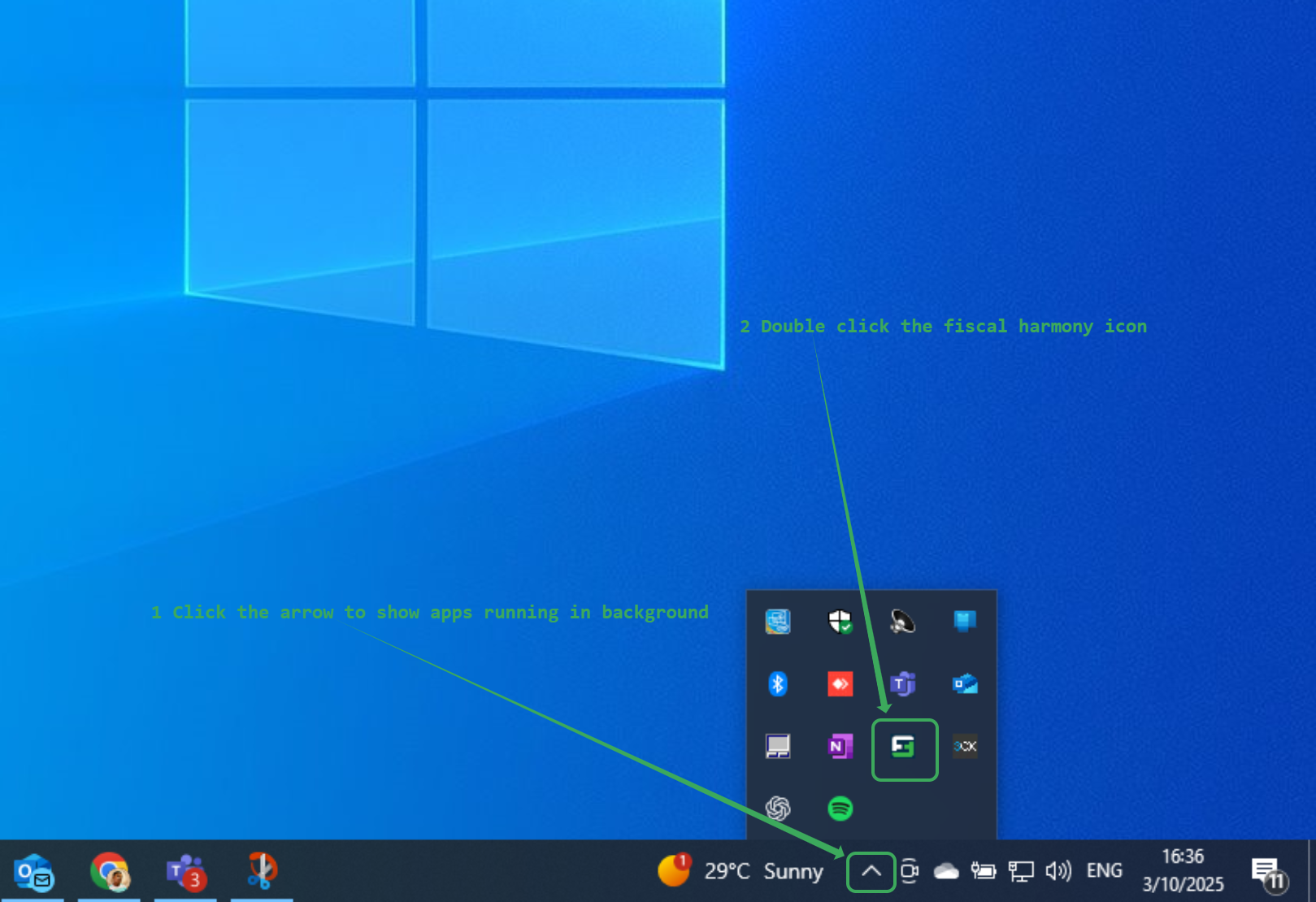
- Click the upward arrow on the task bar to show the apps running in background
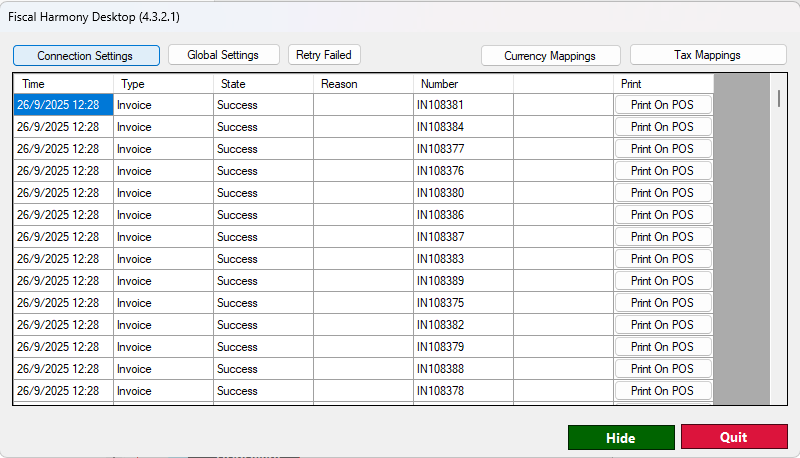
- Double click the fiscal harmony icon to show invoice statuses.
Step 2. Creating an invoice
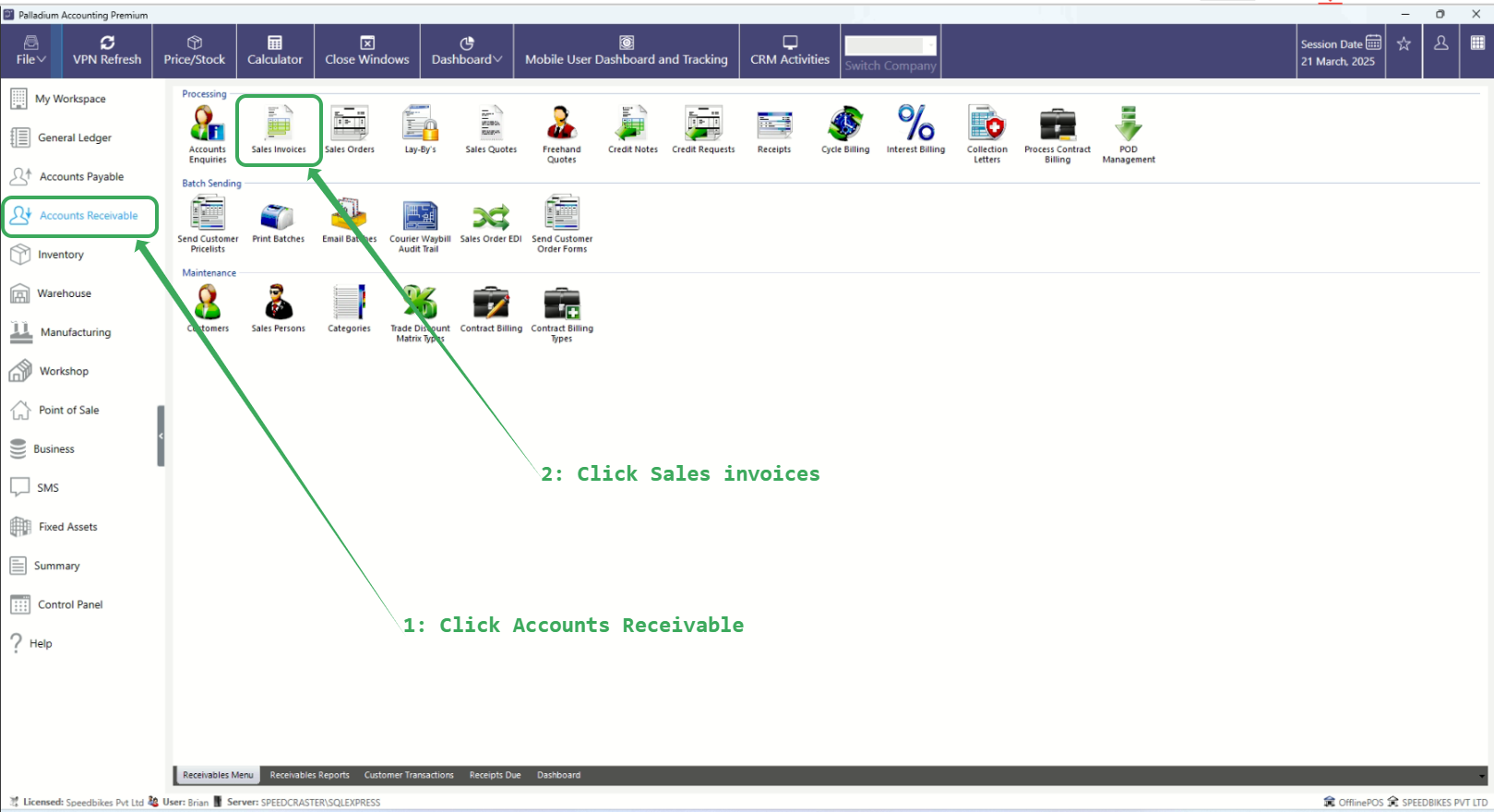
Please follow the following steps to create an invoice
- Click "Accounts Receivable"
- Click "Sales Invoices"
Step 3. Fiscalising an invoice
Please follow the steps below to fiscalise an invoice:
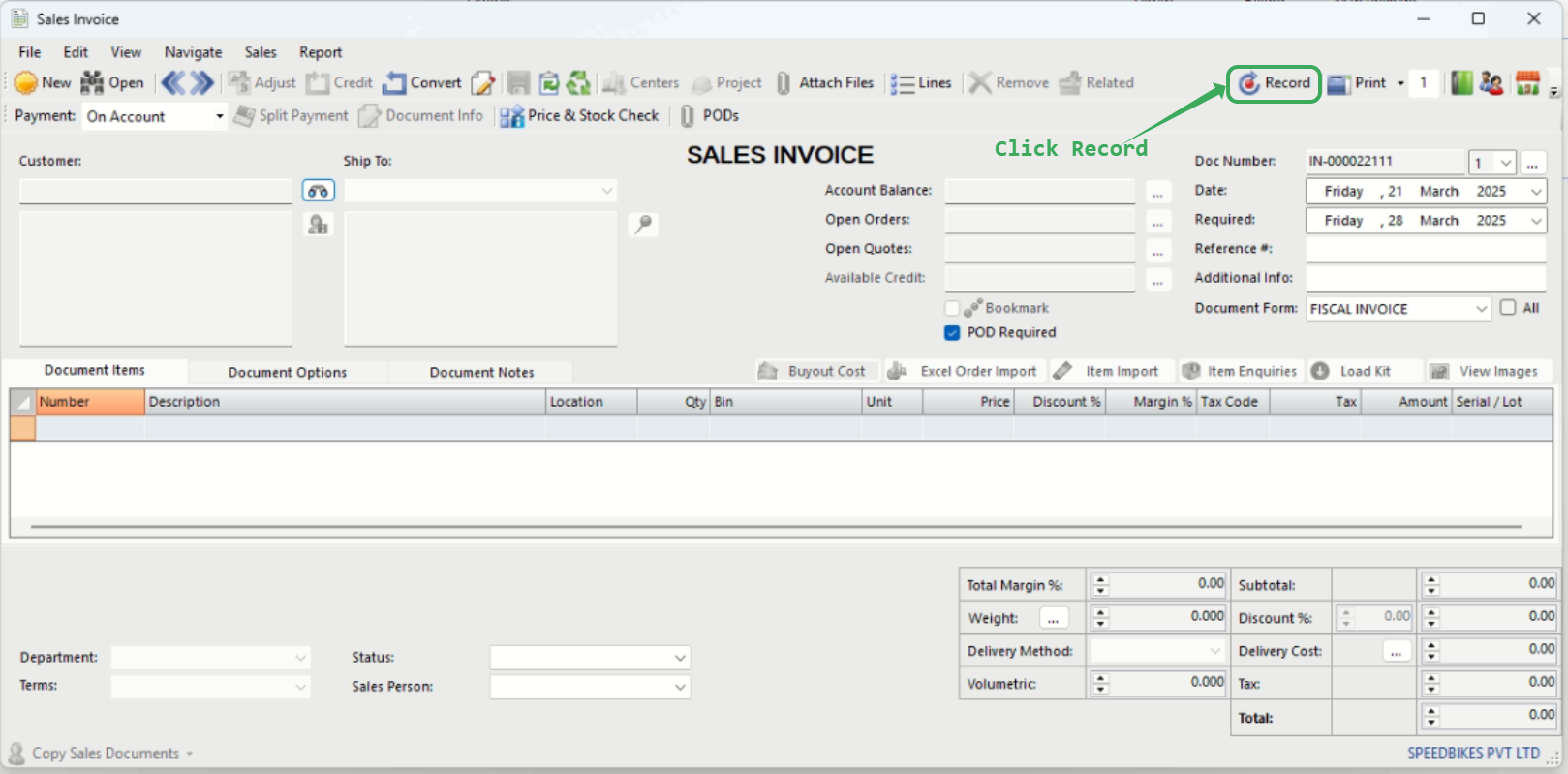
- Enter all the relevant details, including customer information, invoice details, line items, and any discounts.
- Click the "Record" button to initialise the invoice for fiscalisation.
Points to Note
- After clicking “Record”, the invoice will appear in the DataGridView, where you can view its status: whether it has been fiscalised, failed to fiscalise, or is available for retry.
- If the invoice is successfully fiscalised, the “Reason” field will be empty.
- If the invoice fails to fiscalise, the reason for the failure will be displayed in the “Reason” column.
- Please note that the default path for fiscalised invoices is:
C:\Users\Public\Documents\Pervasive\Downloads
Related Articles
Creating and Fiscalising Credit Notes in Palladium Accounting
Overview Please follow the following steps to fiscalise credit notes using Palladium accounting. Steps Step 1. Opening Application Running the Fiscal Harmony Plugin Right click on the app and click "Run as administrator" option. Click the upward ...Creating and Fiscalising Credit Notes in Sage Pastel Express Accounting
Overview Please follow the following steps to fiscalise credit notes using Sage Pastel Express Accounting. Step-by-step process Step 1. Opening the application Running the Fiscal Harmony Plugin Right click on the app and click "Run as administrator" ...Creating and Fiscalising invoice in Sage Pastel Express Accounting
Overview Please follow the following steps to fiscalise an invoice using Sage Pastel Express accounting. Step-by-step process Step 1. Opening Application Running the Fiscal Harmony plugin. Right-click on the app and click the "Run as administrator" ...Fiscalising an Invoice in Sage Evolution
Overview Sage 200 Evolution is an Enterprise Resource Planning (ERP) software system designed to help businesses manage various aspects of their operations, including finance, customer relationships, and supplier relationships. It goes beyond ...Fiscalising a Credit Note in Sage Evolution
Overview Sage 200 Evolution is an Enterprise Resource Planning (ERP) software system designed to help businesses manage various aspects of their operations, including finance, customer relationships, and supplier relationships. It goes beyond ...