Fiscalising an Invoice in Sage Pastel Partner
Overview
Step by step process
To be able to create an invoice, log in to Sage Pastel.
Step 1. Create Invoice
- Navigate to Customers > Documents > Fiscal Tax Invoice.
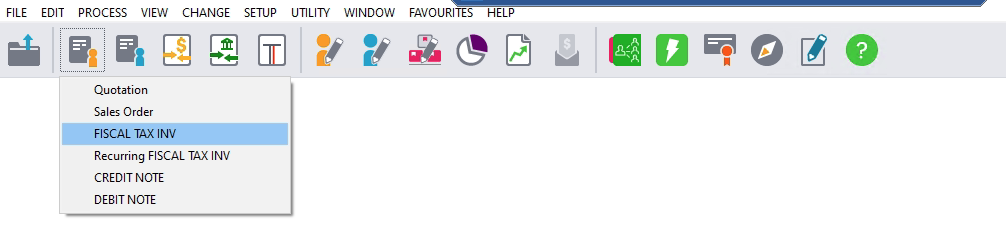
- Select the correct Customer from the list.
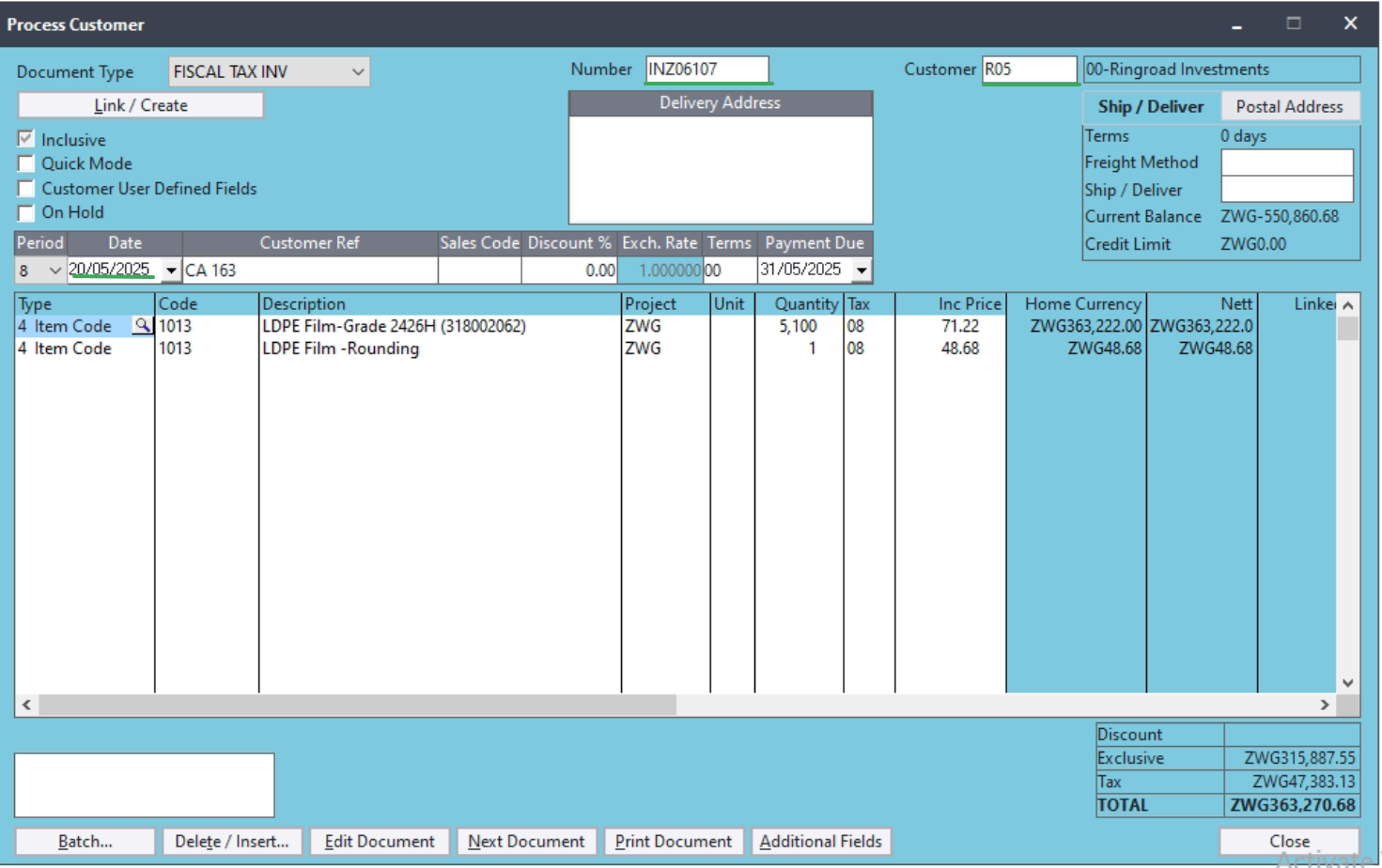
- Enter the Invoice Date, Reference Number, and Delivery Details.
- Add line items, e.g, the product, descriptions, quantities, HS Codes, and prices.
Step 2. Fiscalising Invoice
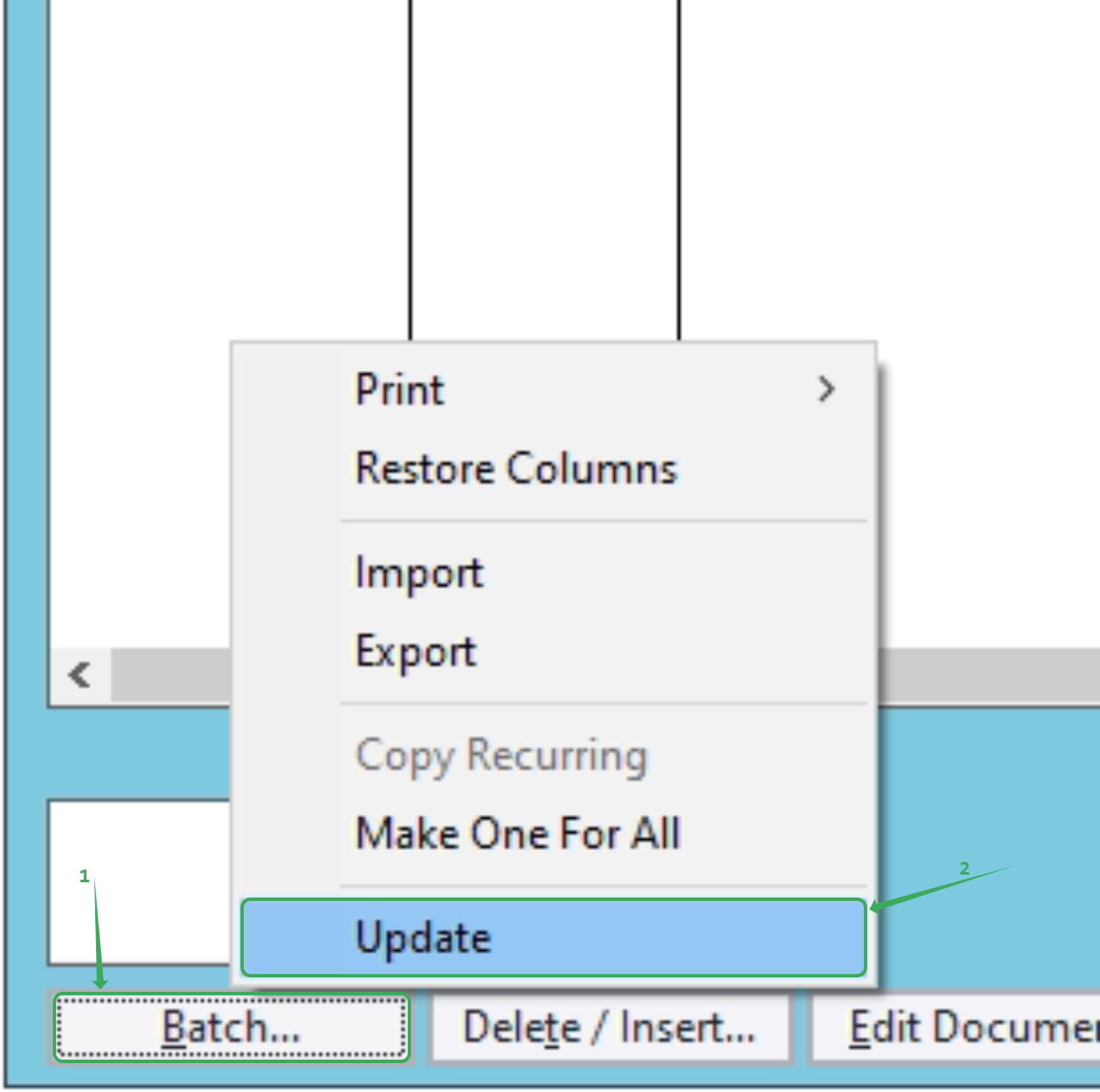
- On that same invoice, Click on Next Document > Batch > Update.
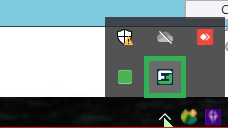
- Open your Fiscal Harmony plugin by right-clicking the icon and opening it with "Run as Administrator".
- Check for the plugin on your taskbar, it should bring a success status. Double-click it to open the plugin.
- Check for the success status in the right cell of the invoice.

Step 3. Locating Fiscalised Invoices
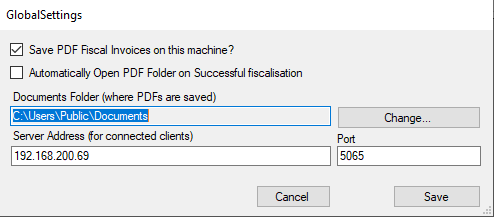
- The fiscalised invoices are stored on your local machine. To locate them, click on Global Settings, and you will see a file path highlighted in blue. That’s the folder where your PDF invoices are saved.
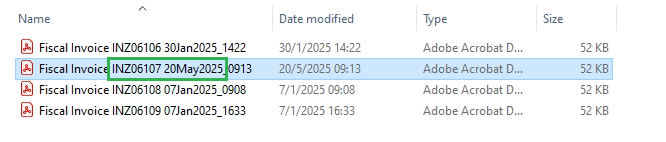
- Open the folder path shown in blue. You should now see the automatically received fiscalised PDF invoices.
Related Articles
Creating a Credit Note in Sage Pastel Partner
Overview When an invoice needs adjusting due to an error or a customer return, you must create a Credit Note to correctly update the customer’s account balance. Step-by-step process Here are the steps to create a Credit Note in Sage Pastel Step 1. ...Creating and Fiscalising Credit Notes in Sage Pastel Express Accounting
Overview Please follow the following steps to fiscalise credit notes using Sage Pastel Express Accounting. Step-by-step process Step 1. Opening the application Running the Fiscal Harmony Plugin Right click on the app and click "Run as administrator" ...Creating and Fiscalising invoice in Sage Pastel Express Accounting
Overview Please follow the following steps to fiscalise an invoice using Sage Pastel Express accounting. Step-by-step process Step 1. Opening Application Running the Fiscal Harmony plugin. Right-click on the app and click the "Run as administrator" ...Fiscalising an Invoice in Sage Evolution
Overview Sage 200 Evolution is an Enterprise Resource Planning (ERP) software system designed to help businesses manage various aspects of their operations, including finance, customer relationships, and supplier relationships. It goes beyond ...Fiscalising an Invoice in Sage Online
Overview Producing a fiscal tax invoice is an important step for every business. It ensures your clients can easily view, verify and scan their invoices for authenticity and ZIMRA compliance. Prerequisites Before you begin, make sure you have the ...