Buyer Details Verification Guide
This Buyer Details Verification Guide walks you through a simple, step-by-step process to confirm important buyer information. It shares practical tips, useful tools, and key compliance points to help businesses set up a smooth, secure verification system. The goal? To protect both buyers and sellers while keeping things easy and trustworthy for everyone involved.
How To Validate Buyer Details
Step 1. Find and Open the Invoice
Start by locating the invoice for the transaction you want to verify. Open it and make sure it’s the official version sent by the seller.
Step 2. Look for Verification Details
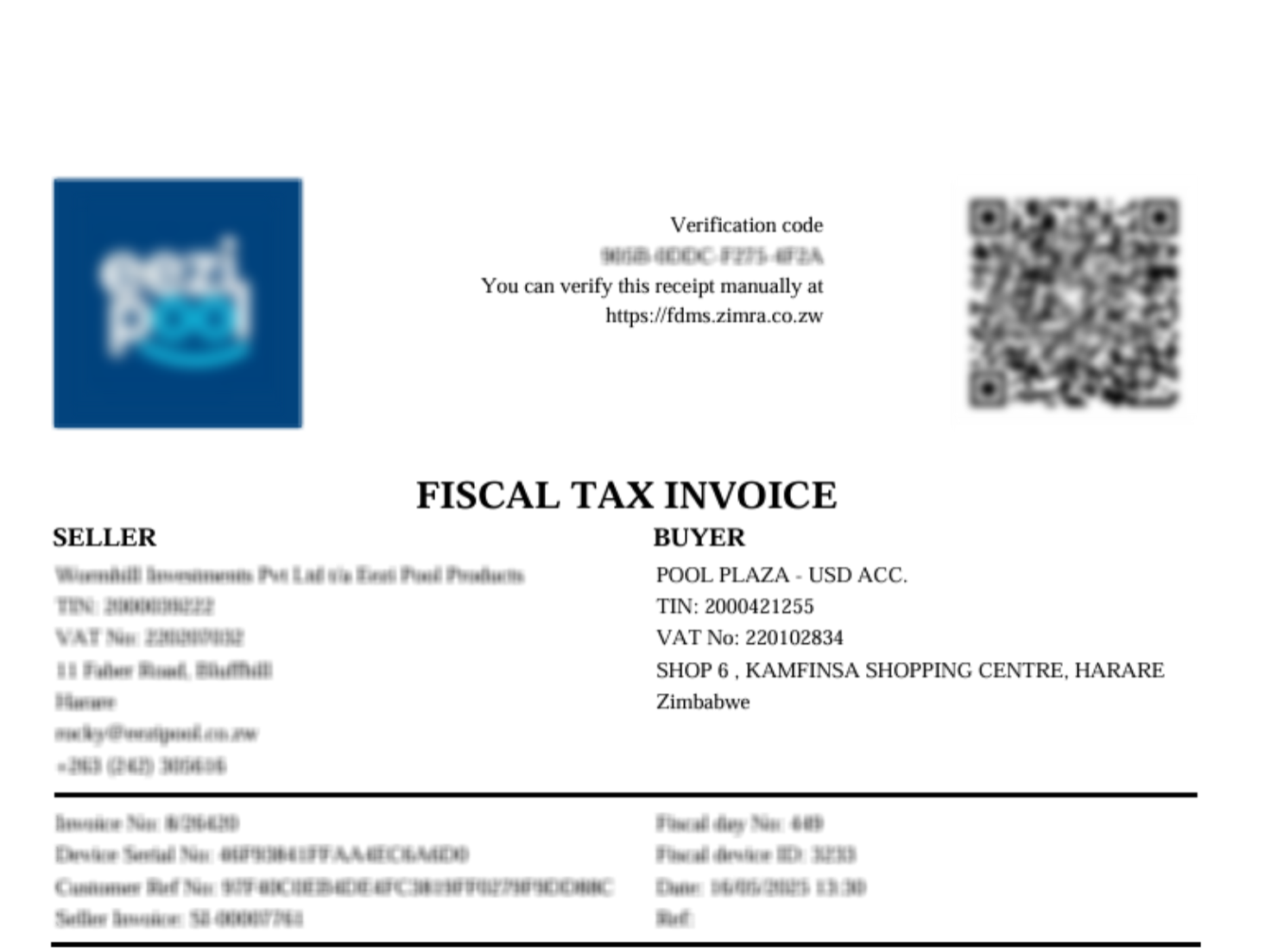
Check whether the invoice is fiscalised—this means it should include:
- A black and white QR Code
- Some verification details, like invoice metadata and security information
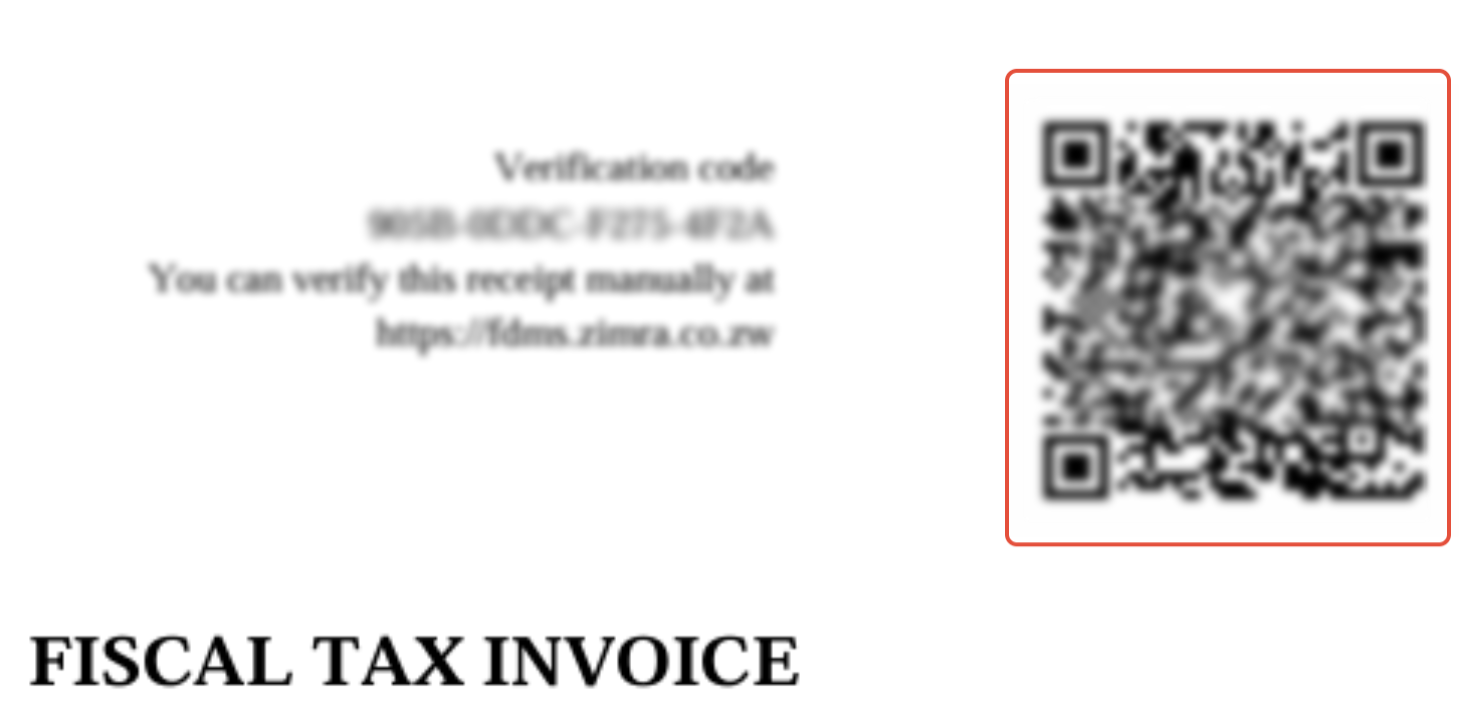
Step 3. Scan the QR Code
Use your phone or a QR code scanner to scan the code on the invoice. Be sure the QR Code is fully visible and scanned clearly—it’s what connects you to the official records.
Step 4. View Invoice Information on the ZIMRA Portal
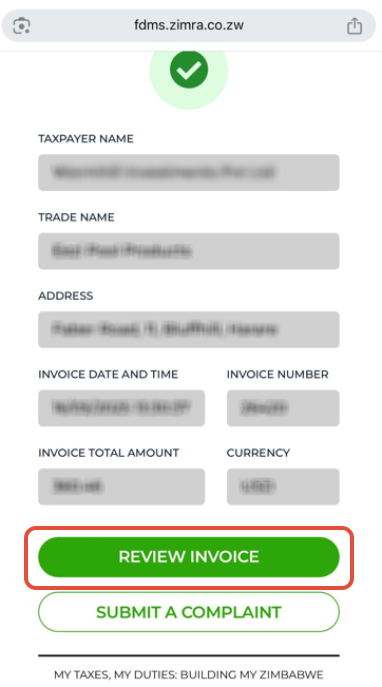
After scanning, you'll be taken to the ZIMRA (Zimbabwe Revenue Authority) Portal. There, you’ll see key information about the invoice, such as:
- The business’s trade name
- Their address
- The invoice date and invoice number
- The total amount and the currency
Step 5. Check the Buyer Details
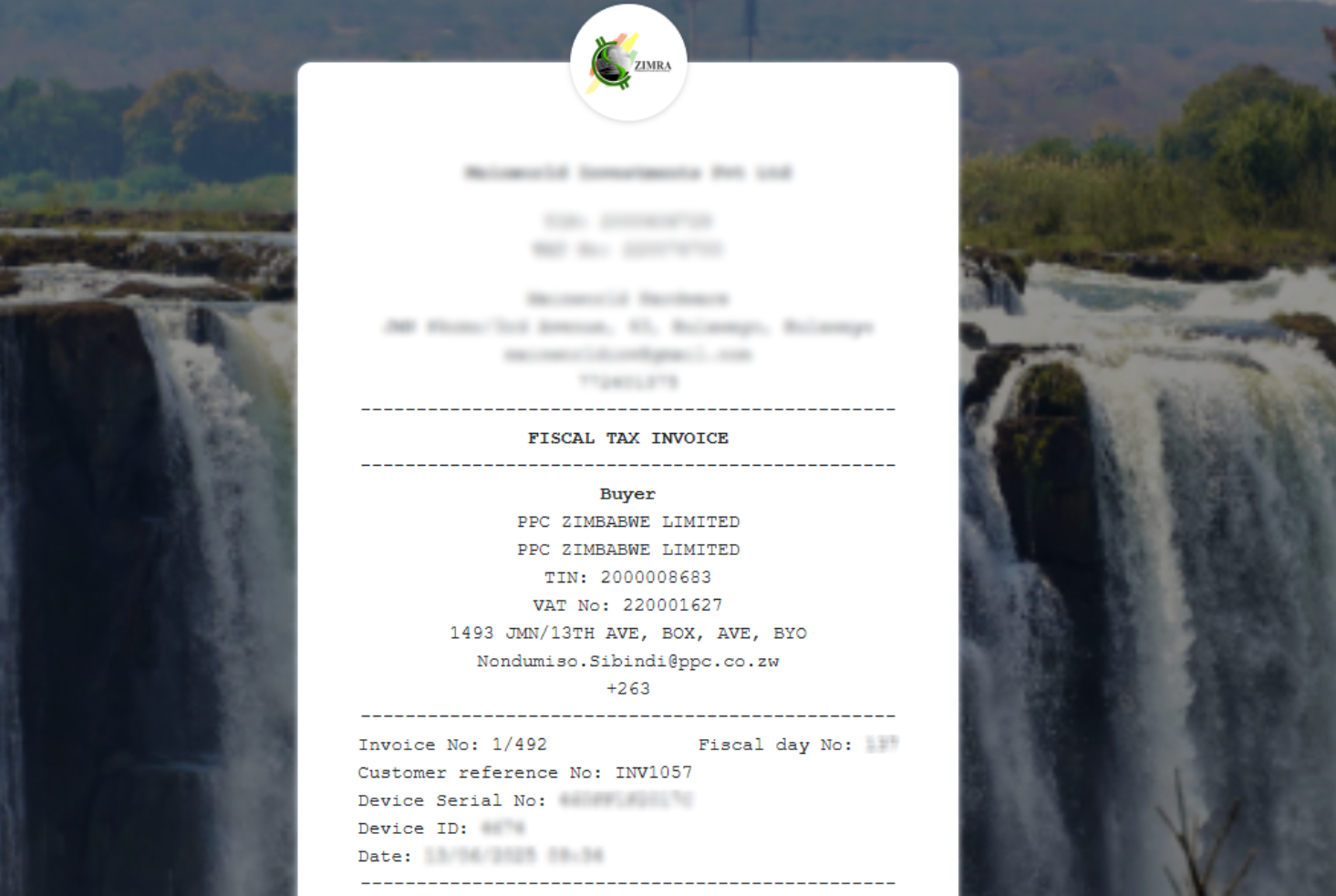
Scroll down to the bottom of the page and click “Review Invoice”.
A new window will pop up showing detailed buyer information, including:
A new window will pop up showing detailed buyer information, including:
- The registered buyer’s name
- Their contact information
- Other helpful transaction details
Related Articles
Fiscal Harmony Reseller Guide
Getting Started As a Fiscal Harmony reseller, you unlock exclusive benefits, high-profit potential and the opportunity to grow your business portfolio with our industry-leading software solutions. Our program equips you with competitive discounts, ...QuickBooks Errors and Solutions: A Comprehensive Guide
Overview Here are a list of errors that you may have encountered, which have solutions that we provided in order to guide you to fixing them. No Buyer Details Provided The "No Buyer Details Provided" error typically occurs when a user is trying to ...MS Excel and Fiscal Harmony Integration Guide
Overview This guide explains how to install and configure fiscalisation in Microsoft Excel using the Fiscal Harmony software. It walks you through downloading the required files, installing the necessary tools, and setting up the integration so that ...Step-by-Step Guide for Resellers to Register a New Client on their Platform
Overview As a Fiscal Harmony reseller, you unlock exclusive benefits, high-profit potential and the opportunity to grow your business portfolio with our industry-leading software solutions. Our program equips you with expert training and dedicated ...ERP Next and Fiscal Harmony Integration Guide
Overview This guide provides a step-by-step process for integrating ERP Next with the Fiscal Harmony plugin, facilitating the fiscalization of invoices and credit notes for compliance with the Zimbabwe Revenue Authority (ZIMRA). Prerequisites Setting ...