End-of-Day Report Printing
The system allows you to automatically print an end-of-day report each time a user performs a Close Day.
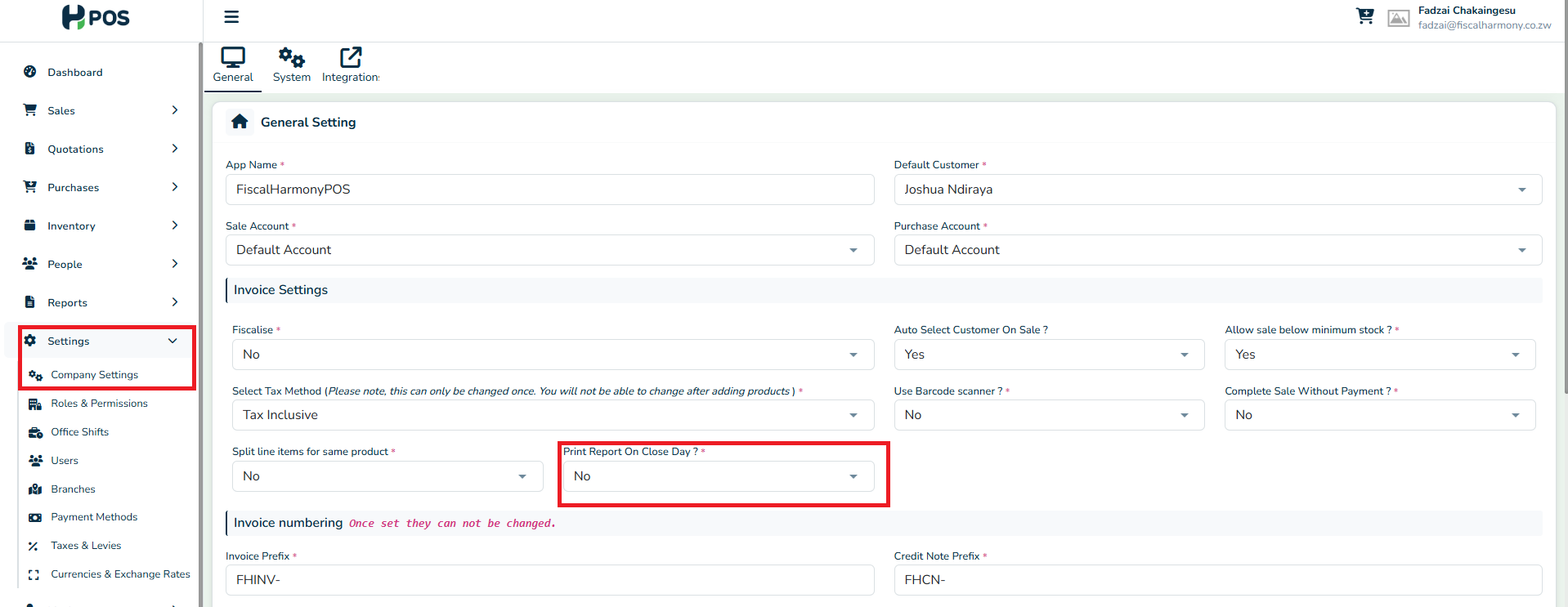
How to Enable End-of-Day Report Printing
Go to Settings from the main menu.
Click on Company Settings.
Under Invoice Settings, locate the option “Print Report On Close Day?”
Change the setting to Yes to enable automatic printing.
Important Notes
The end-of-day report will display cash sales and amounts only as this more accurately shows the users cash in hand for handover to the next user or for cashing up.
Once enabled, the report will automatically print every time a user closes the day.
Was this article helpful?
That’s Great!
Thank you for your feedback
Sorry! We couldn't be helpful
Thank you for your feedback
Feedback sent
We appreciate your effort and will try to fix the article