How to change VAT in ERP Next
Overview
It is important to know when and how to change the VAT in your system to stay tax compliant and keep our tax records correct. For example, in January 2026, ZIMRA's VAT increased from 15% to 15.5% under the 2026 Budget.
Step-by-step Guide
Step 1. Search for your Tax Template
- Open ERPNext and log in with your Admin credentials.
- From the top search bar, type Sales Taxes and Charges Template in the search bar.
- Click to select the template.
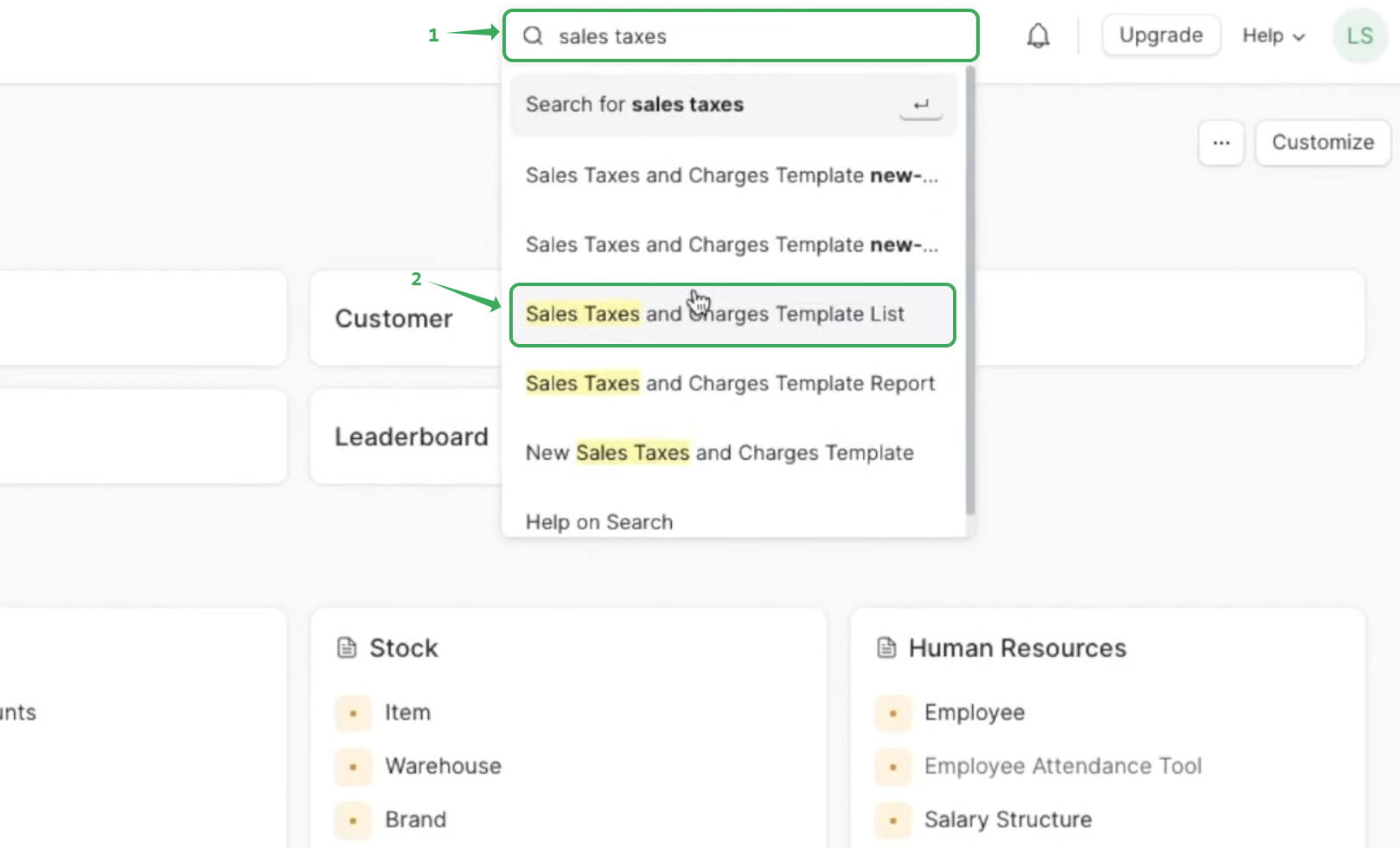
Step 2. Open the template list
- Find your company’s template (e.g Company Name) or click on Add the sales tax.
- Click to open it.

Step 3. Edit the tax rate
- Under Sales Taxes and Charges, change the Rate field to the new tax rate (e.g. 15.5).
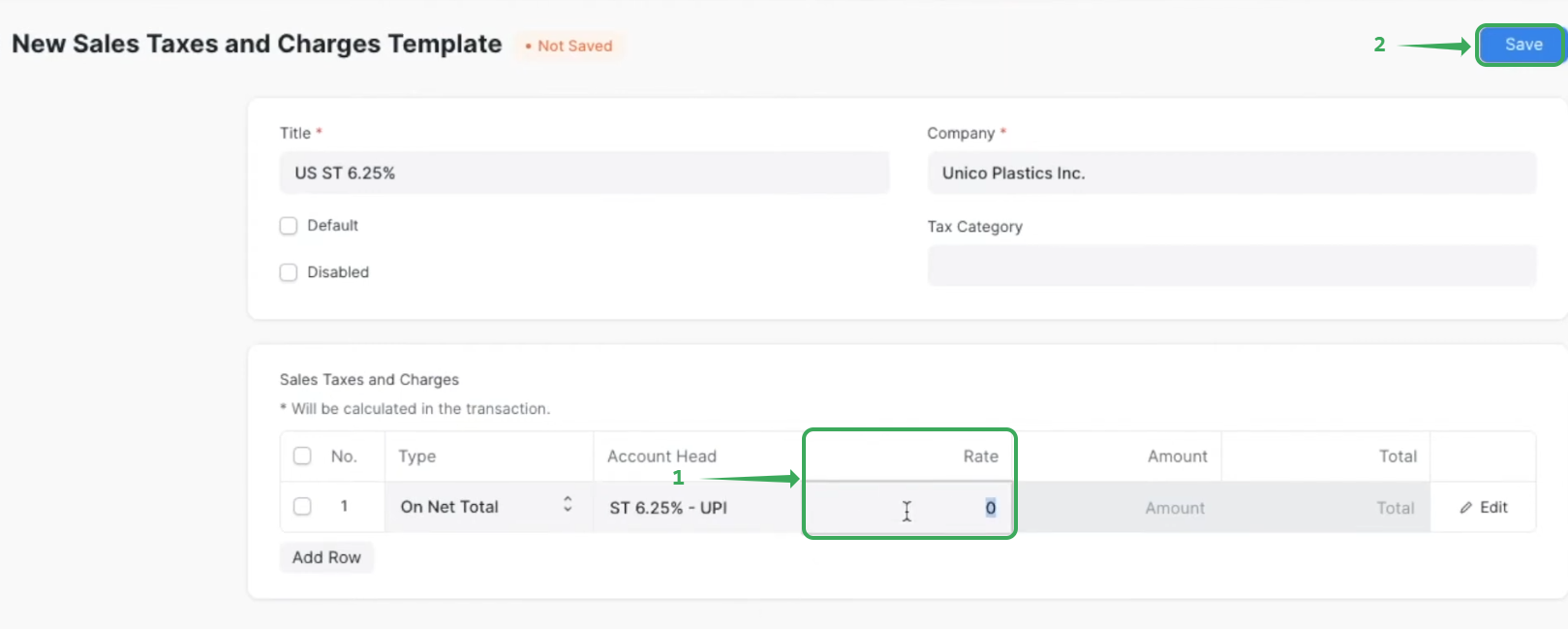
- Click Save to save your changes.
- Create a test invoice to make sure VAT is calculated at the new tax rate.
Related Articles
Updating VAT in Cin7 Core
Step-by-Step Guide Step 1: Go to Tax Settings Log in to Cin7 Core with your Admin credentials. Navigate to Settings → Financial Settings → Tax Rules. This is where all tax rules are created and managed. Step 2: Create a New Tax Rule Default tax rules ...Updating Excel template to the VAT Tax rate
Overview If you are currently having issues with updating your VAT from the old tax rate to new tax rate (i.e. 15% to 15.5% as of January 1st 2026), the following instructions are on how to update it on your Fiscal Harmony Template. This also ...Updating VAT in 4POS
Step-by-step Process Step 1: Go to Tax Settings Log in to 4POS from the admin. Navigate to Settings → Financial Settings → Tax Rules. This is where all tax rules are created and managed. Step 2. Update the Tax Rates For the tax rule you want to edit, ...Updating VAT in Sage Evolution
Step-by-Step Guide Step 1: Open the Tax Types Setup Open Sage Evolution and select the company to log in as Admin. On the main menu, navigate to Administration → Tax → Tax Types. You will see a list such as: Input VAT (Purchases) Output VAT (Sales) ...Updating VAT in Sage Pastel
Overview This is for anyone using Sage Pastel to update the VAT rate to a new rate (e.g. 15% to 15.5% as of January 1st updated by ZIMRA). Step-by-step Guide Step 1: Open Your Company Launch Sage Pastel. Open the company where you want to change the ...