Implementation of HS Codes in Xero
Step-by-Step Guide
To enter HS codes into your Xero accounting system, follow the steps below:
Step 1. Navigate to Products
- Log in to your Xero.
- Navigate to the products and services option.
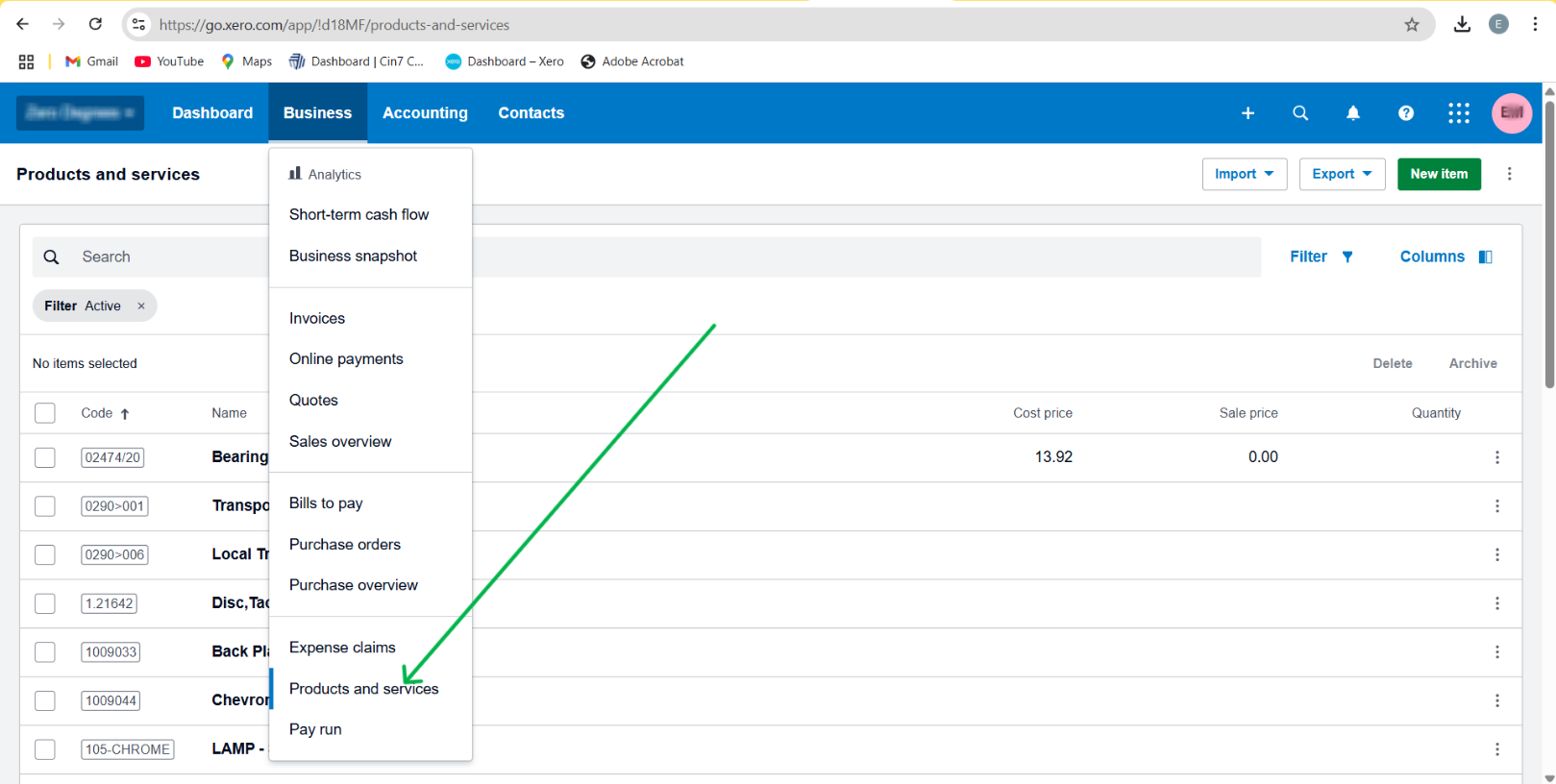
Step 2. Navigating to Item to Edit
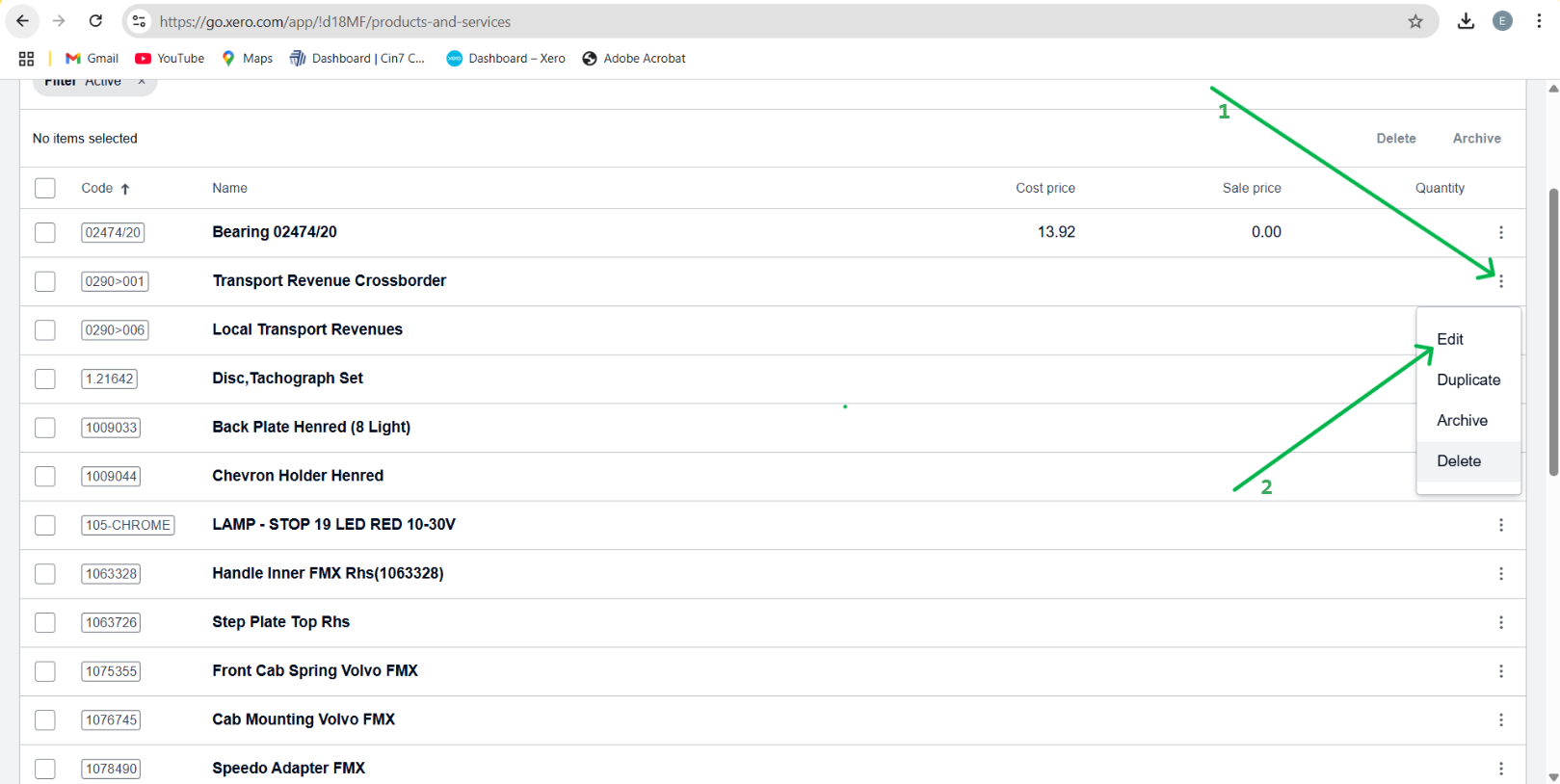
- Click on the option icon on the product or service.
- Click the Edit option.
Step 3. Editing item and adding HS Code
- Edit the product / Service name
- Put a prefix of HS Code in brackets, for example (99001000) Service with VAT.
- Save the product or service.
- Repeat for all the items you need to add HS Codes to.
Related Articles
How to add HS Codes in QUICKBOOKS
What are HS-Codes ? HS codes, also known as Harmonized System Codes, are standardized numerical codes used to classify products in international trade. They are unique codes that identify and describe a product or service. How to implement HS Codess ...
Implementing HS Codes in ERPNext
Overview An HS Code (Harmonised System Code) is an 8-digit number that uniquely identifies a product. There is no specific field for entering an HS Code, but ideally, in the ERPNext Fiscalisation app, it is added in the Fiscal HS Code document. The ...
Implementing HS Codes in Palladium Accounting
Overview Harmonized System (HS) Codes are standardized numerical classifications used globally to identify and categorize traded products. These codes ensure uniformity in customs declarations, tariffs, and trade documentation. Key Features of HS ...
Adding HS Codes in Sage Online
Overview Harmonised System (HS) Codes are an 8-digit classification system used globally for traded products and services. In Zimbabwe, they are also used for domestic sales under the Fiscalisation Data Management System (FDMS). Here’s how to add HS ...
Implementing HS Codes in QuickBooks Desktop
Overview HS codes, also known as Harmonised System Codes, are standardized numerical codes used to classify products in international trade. They are unique codes that identify and describe a product or service. Step-by-step Guide Step 1. Navigate to ...