How To Change VAT in HPOS
Overview
This is a guide on how to change the VAT Tax rate in your HPOS application, e.g. such as changing from 15% to 15.5%.
Step-by-Step Guide
Step 1. Log in to HPOS
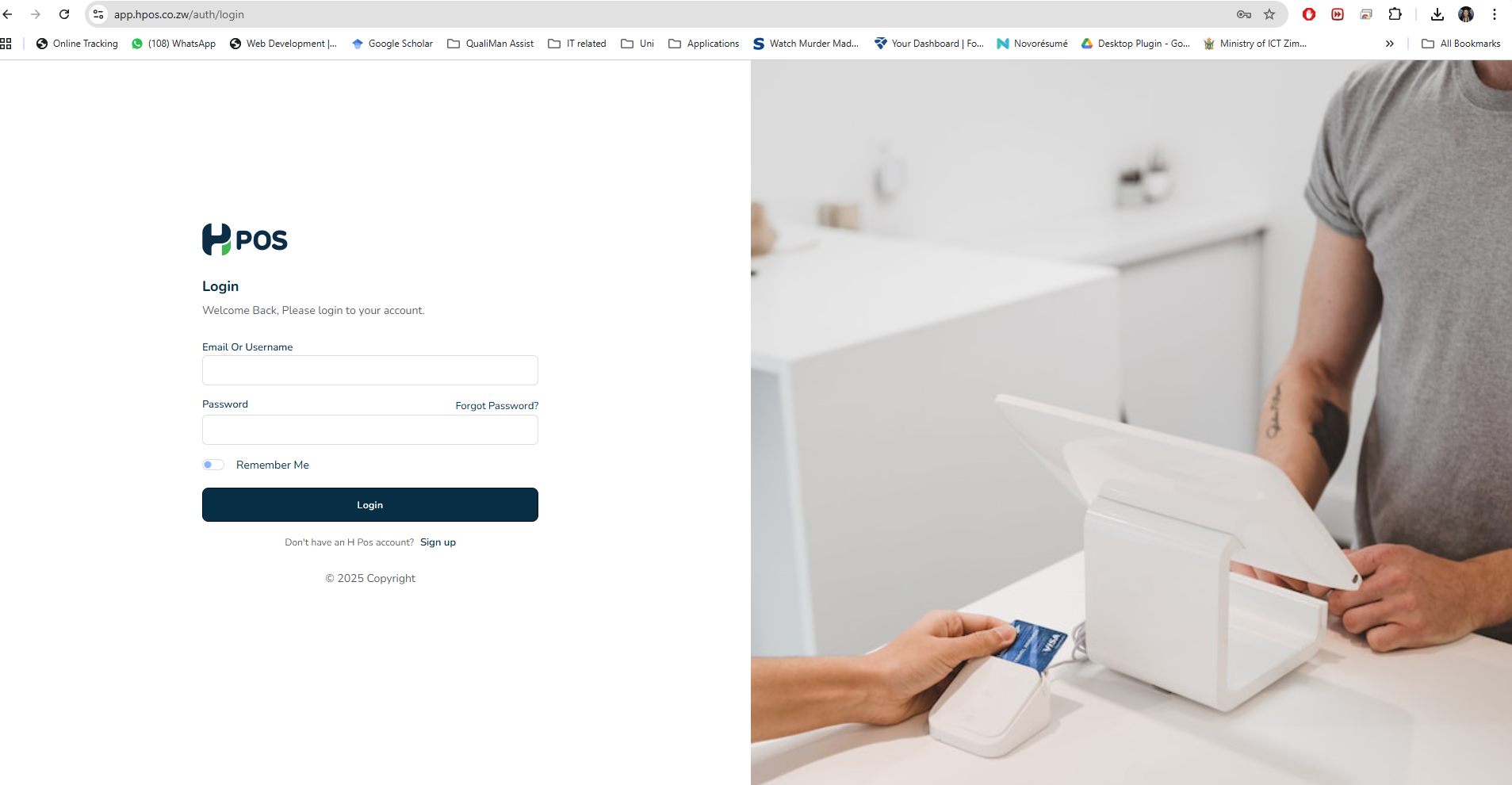
- Navigate to HPOS app on https://app.hpos.co.zw/.
- Log in with your credentials using the Admin account, which has all the rights to make changes within the account.
Step 2. Access Settings
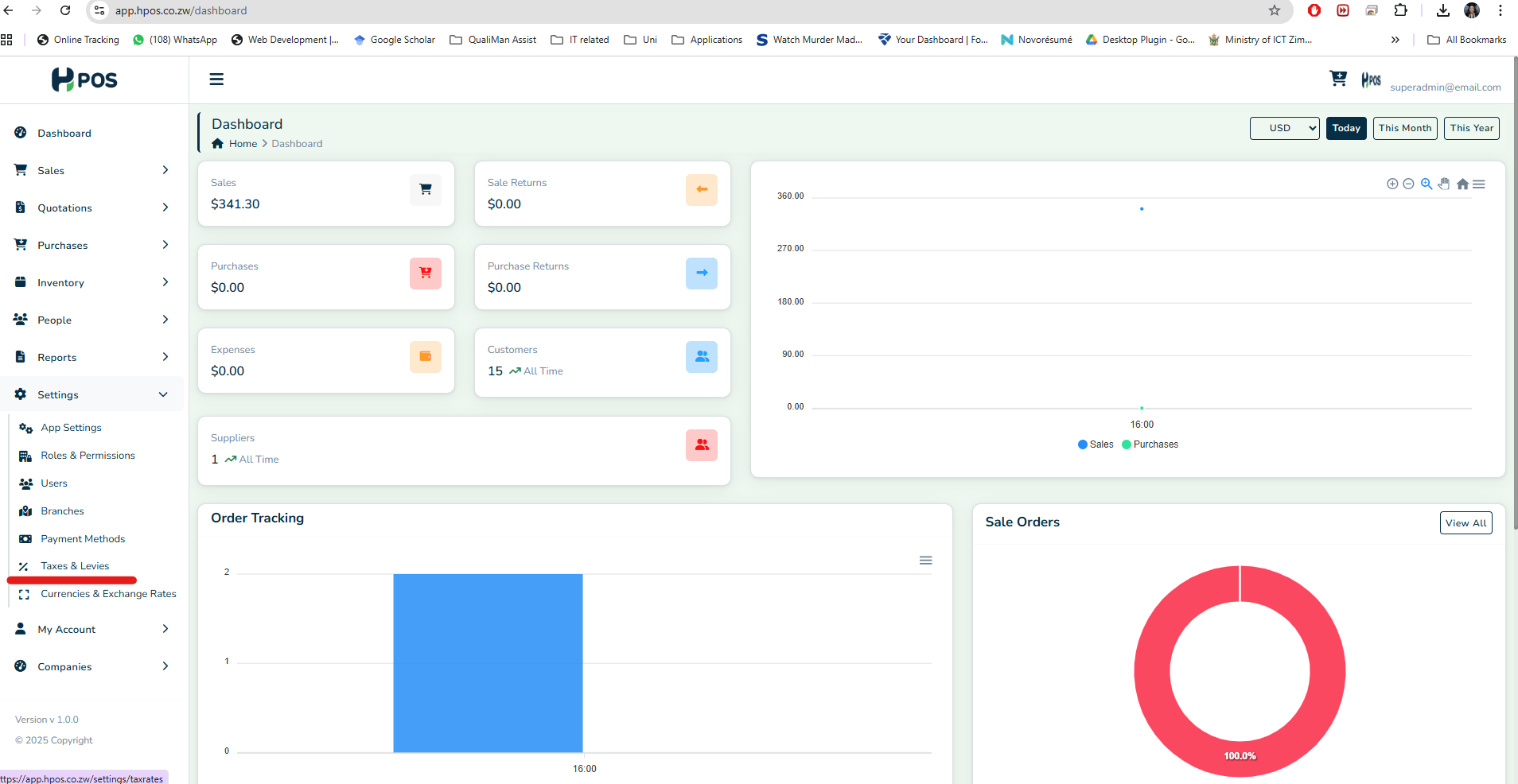
- On the left panel sidebar, navigate to "Settings".
- Select "Taxes & Levies".
Step 3. Select Tax option
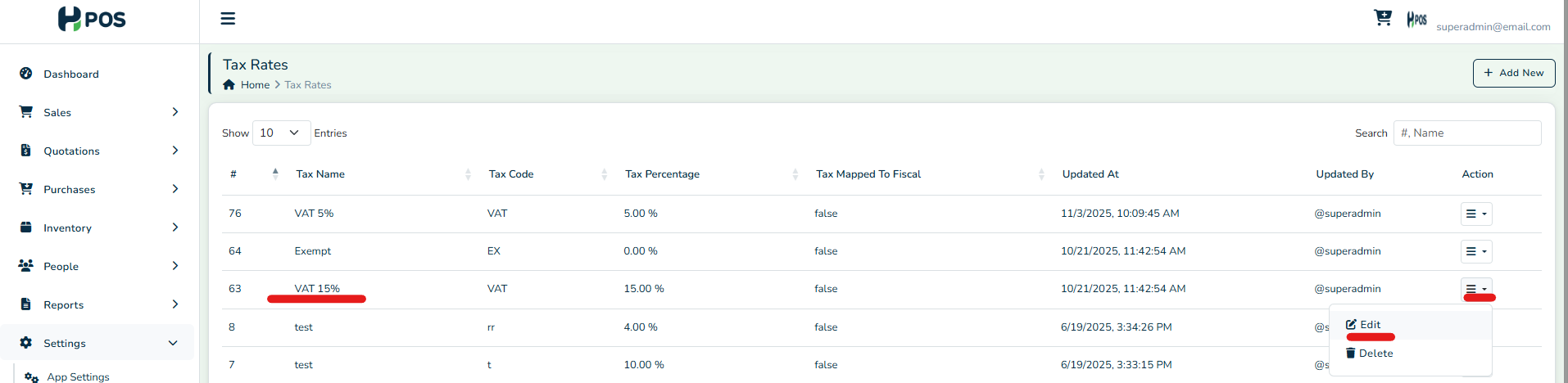
- For your VAT Tax option you want to update, click the "Action" icon.
- Select the "Edit" option.
Step 4. Edit Tax rate
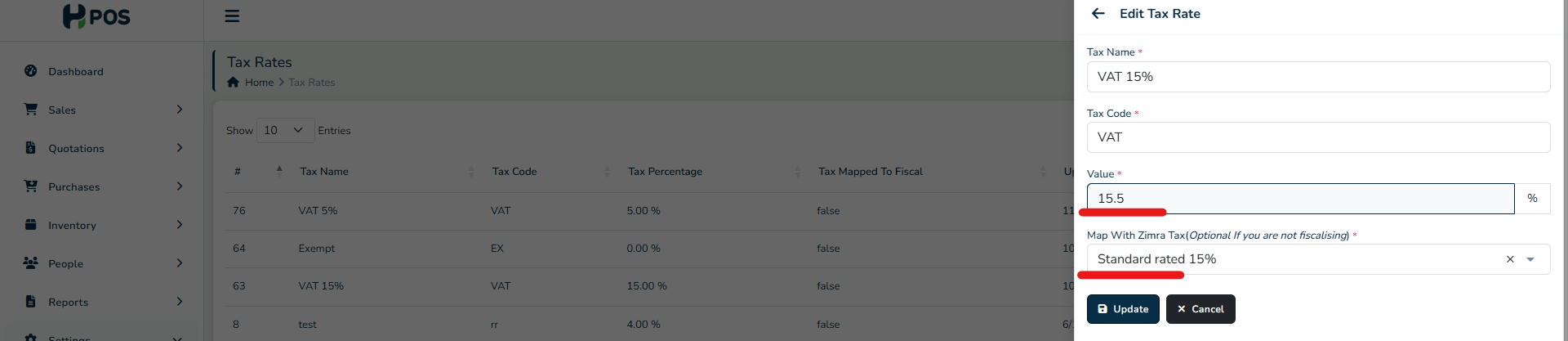
- Edit the Tax value from the old value to the new value, e.g. from 15% to 15.5%.
- Map the new ZIMRA Tax to the corresponding one shown on the drop-down list.
Step 5. Update Products
- Under "Inventory," access the Products.
- Do a bulk update for all products.
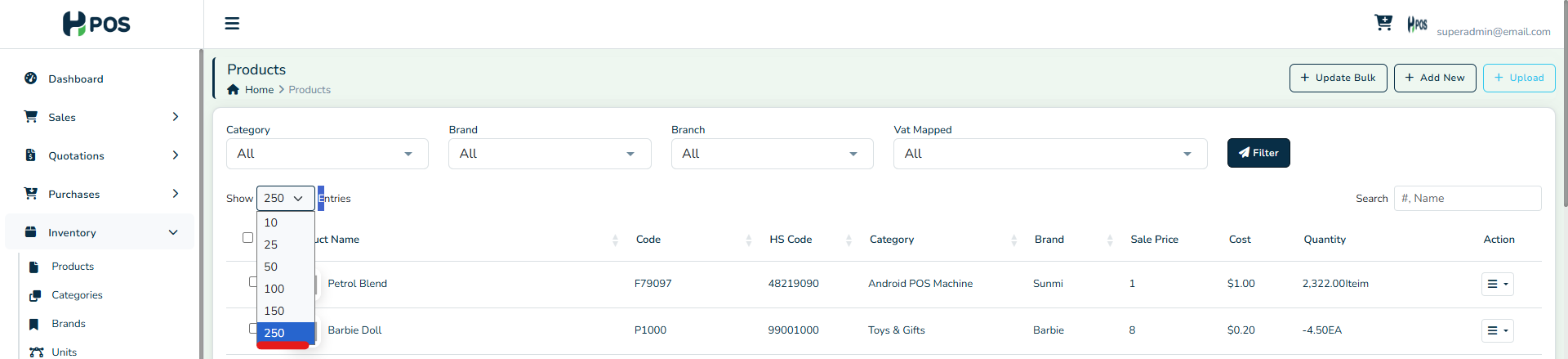
- Filter to show the max 250 entries per page if you have many products
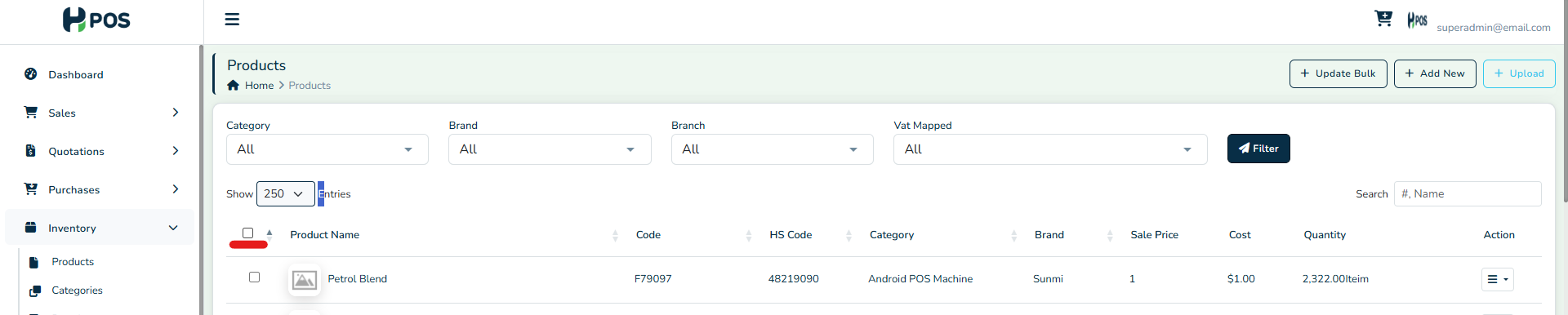
- Auto-select all products with the checkbox in the header row.
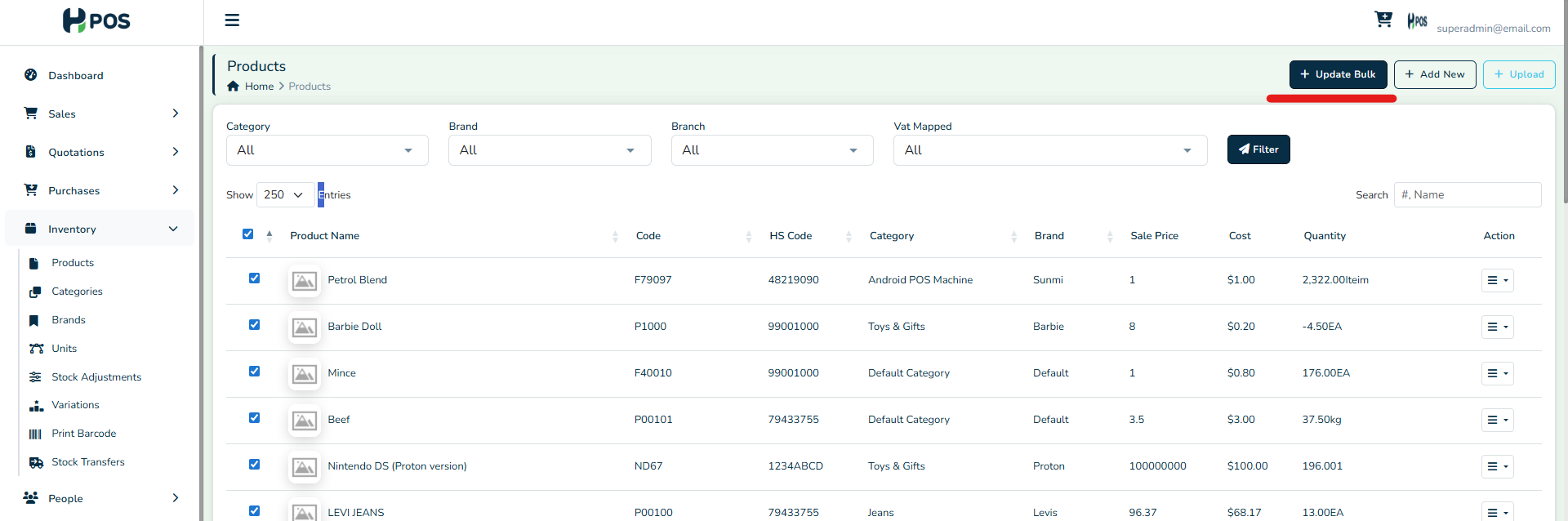
- Click the "Bulk Update" option in the top right of the page.
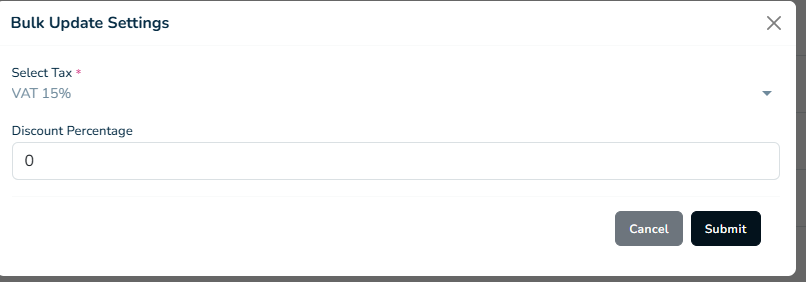
- Select the corresponding new VAT option from the drop down & "Submit"
All VAT products will be updated to the new VAT tax rate.
Related Articles
How to Change VAT in Palladium Accounting
Overview It is important to know when and how to change the VAT in your system to stay tax compliant and keep our tax records correct. For example, in January 2026, ZIMRA's VAT increased from 15% to 15.5% under the 2026 Budget. Step-by-Step Guide ...How to change VAT in ERP Next
Overview It is important to know when and how to change the VAT in your system to stay tax compliant and keep our tax records correct. For example, in January 2026, ZIMRA's VAT increased from 15% to 15.5% under the 2026 Budget. Step-by-step Guide ...How to Change VAT in Odoo 17
Overview It is important to know when and how to change the VAT in your system to stay tax compliant and keep our tax records correct. For example, in January 2026, ZIMRA's VAT increased from 15% to 15.5% under the 2026 Budget. To stay compliant, ...How To Change VAT in Odoo Cloud
Overview To change a VAT rate in Odoo Cloud, it is recommended that you create a new tax record with the updated rate rather than editing the existing one. This approach preserves the historical accuracy of past transactions. Step-by-step Guide Step ...How To Change VAT in Quickbooks Desktop
Overview To change a VAT rate in QuickBooks Desktop, you must create a new VAT item with the revised rate and then mark the old one as inactive, as existing rates cannot typically be edited directly. Step-by-Step Guide Step 1. Navigate to VAT Taxes ...